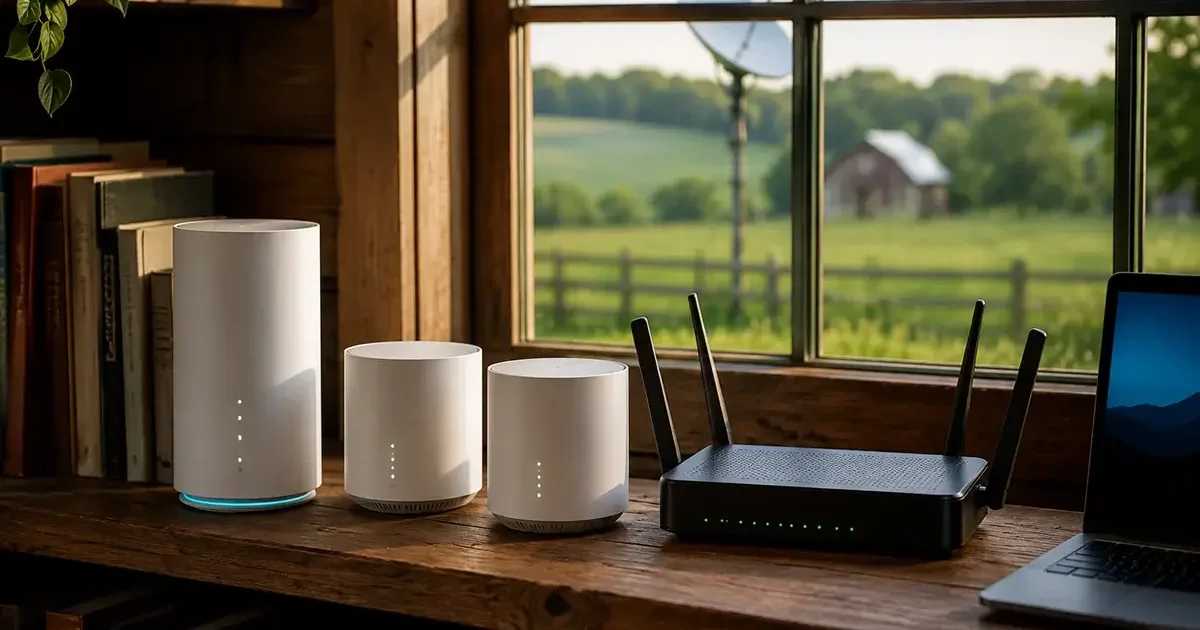
Your router is the most underappreciated piece of internet hardware in your home — and for rural satellite or fixed wireless users, it’s also the most consequential. The wrong router can turn a fast Starlink connection into a frustrating Wi-Fi experience. The right router can extend excellent Wi-Fi throughout a large farmhouse, manage multiple simultaneous users without degradation, provide the QoS controls that prioritize your work video calls over your teenager’s gaming downloads, and give you the remote management capability to troubleshoot your rural network from anywhere. This comprehensive guide covers the best routers for rural homes and Starlink connections in 2026, with specific recommendations for different property sizes, technical comfort levels, and use cases.
In This Guide
- Do You Need a Third-Party Router with Starlink?
- Starlink Bypass Mode Explained
- Router Categories for Rural Homes
- Best Simple Routers for Rural Homes
- Best Prosumer Routers for Rural Power Users
- Best Enterprise/Commercial Routers for Rural Businesses
- Dual-WAN Routers for Backup Connections
- Extending Wi-Fi Throughout Large Rural Properties
- Key Router Features for Rural Internet
- Frequently Asked Questions
Do You Need a Third-Party Router with Starlink?
The Starlink Gen 3 system includes a capable router with Wi-Fi 6 technology and approximately 2,000–2,500 square feet of coverage. For many rural homes — particularly smaller homes close to the dish connection point — the included Starlink router is perfectly adequate. You do not need to purchase a third-party router unless the included router’s coverage, features, or placement flexibility are insufficient for your specific situation.
Reasons to consider a third-party router:
- Your rural home is larger than 2,500 square feet and the included router can’t cover all living areas adequately
- You want a wired Ethernet port on your router (the Gen 3 router has no Ethernet ports without the separate $25 Ethernet Adapter)
- You need VPN server capability on your local router for remote access to your home network
- You need VLANs for network segmentation (work devices separate from household devices)
- You need dual-WAN capability to manage both Starlink and a cellular backup connection
- You want detailed network analytics and remote management capability
- You need to extend Wi-Fi to outbuildings through a mesh system with wired backhaul
Starlink Bypass Mode: How to Use a Third-Party Router
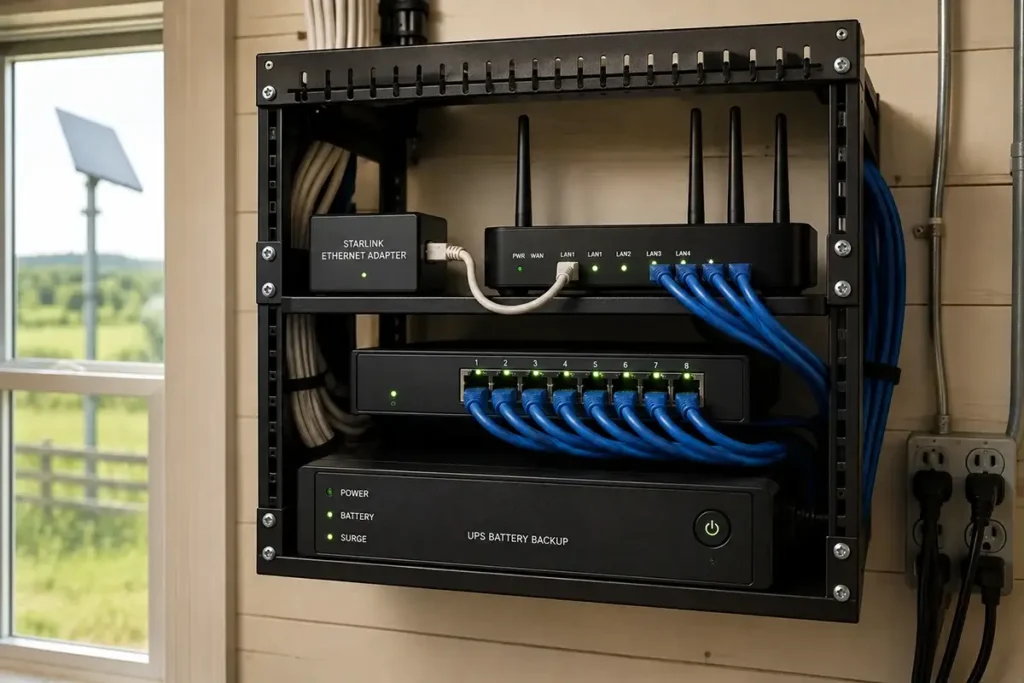
To use a third-party router with Starlink, you must enable Bypass Mode — a setting that converts the Starlink router from a managing router into a pass-through device that forwards the internet connection directly to your third-party router. Setup requires the Starlink Ethernet Adapter ($25) which adds an Ethernet output port to the Gen 3 system.
Setup process:
- Purchase the Starlink Ethernet Adapter ($25) if you don’t already have it
- Connect the Adapter to the Starlink router’s port
- In the Starlink app, go to Settings → Advanced → Bypass Mode and enable it
- Connect your third-party router’s WAN (internet) port to the Ethernet Adapter’s output port via standard Ethernet cable
- Configure your third-party router as normal — it handles all network management while Starlink provides the internet connection
After enabling Bypass Mode, your third-party router manages all Wi-Fi, DHCP, DNS, and network features. The Starlink app still shows dish performance statistics in Bypass Mode — you haven’t lost visibility into the satellite connection, just transferred network management to the third-party router.
Router Categories for Rural Homes
Rural home routers fall into three practical categories based on technical sophistication and feature needs:
| Category | Best For | Price Range | Examples |
|---|---|---|---|
| Simple consumer | Small homes, non-technical users, basic Wi-Fi extension | $80–$250 | Eero Pro 6E, TP-Link Deco, Google Nest WiFi Pro |
| Prosumer | Large homes, technical users, VPN, QoS, advanced features | $200–$500 | ASUS ZenWiFi Pro, GL.iNet Flint 2, Synology RT6600ax |
| Enterprise/Commercial | Rural businesses, farms, multi-building coverage, IT-managed | $400–$1,500+ | Ubiquiti UniFi, Peplink, Cisco Meraki |
Best Simple Routers for Rural Homes
Eero Pro 6E (single unit) — $230 — Best Simple Rural Router
Amazon’s Eero Pro 6E is the simplest path from Starlink Bypass Mode to improved Wi-Fi in a single device. Wi-Fi 6E tri-band coverage to approximately 2,500 square feet, Starlink Bypass Mode compatibility that’s been tested by thousands of rural users, and a smartphone app so simple that non-technical users can manage it without any networking knowledge. If your rural home is under 2,500 square feet and you want a set-it-and-forget-it improvement over the Starlink router, the single Eero Pro 6E is the recommendation. Add additional Eero nodes for larger homes using wireless or wired backhaul.
TP-Link Deco XE75 Pro (single unit) — $160 — Best Value Wi-Fi 6E Router
The TP-Link Deco XE75 Pro delivers Wi-Fi 6E performance at significantly lower cost than Eero Pro 6E. A 2.5G Ethernet WAN port, tri-band Wi-Fi 6E, approximately 2,400 square foot single-unit coverage, and Starlink Bypass Mode compatibility make it an excellent value for rural homes that need basic Wi-Fi improvement without the Eero price premium. Less polished app than Eero but fully functional for standard rural home network management.
Google Nest WiFi Pro (single unit) — $200 — Best for Google Ecosystem
For rural households deeply integrated with Google’s ecosystem (Nest thermostats, cameras, speakers), Google Nest WiFi Pro integrates seamlessly with Google Home while providing Wi-Fi 6E coverage to approximately 2,200 square feet. Good Starlink Bypass Mode compatibility, simple app management, and the Google Home integration that makes smart home management natural for Google ecosystem users.
Best Prosumer Routers for Rural Power Users
ASUS ZenWiFi Pro ET12 — $500 (2-pack) — Best Prosumer Mesh for Large Rural Homes
For large rural farmhouses (3,000–7,000 square feet) with technical users who want advanced features, the ASUS ZenWiFi Pro ET12 is the premium recommendation. Wi-Fi 6E tri-band with 10 GbE wired backhaul support, VPN server and client capability, detailed QoS configuration, network monitoring dashboard, and coverage to approximately 6,500 square feet across the 2-pack. Full Starlink Bypass Mode compatibility with extensive configuration options that reward technical users. The 10 GbE wired backhaul capability means virtually no performance penalty between nodes when connected by wired Ethernet.
GL.iNet Flint 2 (GL-MT6000) — $100 — Best Budget Prosumer Router
The GL.iNet Flint 2 is the best value prosumer router for technically comfortable rural users who want features typically found only in more expensive equipment. OpenWrt-based firmware gives access to the full range of open-source router features — VPN (WireGuard and OpenVPN server/client), advanced QoS, VLAN support, detailed network statistics, and ad-blocking. Wi-Fi 6 dual-band with 2.5G WAN port for Starlink connection. At $100, the Flint 2 offers more features per dollar than any competing prosumer router. Requires some technical comfort with router configuration — not recommended for users who want plug-and-play simplicity.
Synology RT6600ax — $300 — Best for Rural Home NAS Integration
Rural users with a Synology NAS (Network Attached Storage) for local file storage, backup, and media serving will find the Synology RT6600ax provides the most seamless integration between their local storage and network management. The Synology router uses the same SRM (Synology Router Manager) operating system that Synology NAS users are familiar with, with dedicated apps for network analytics, VPN, parental controls, and threat prevention. Wi-Fi 6 tri-band with wired backhaul support for a 2-unit mesh system.
Best Enterprise/Commercial Routers for Rural Businesses and Farms
Ubiquiti UniFi Dream Machine SE — $500 — Best Enterprise Rural Router
For rural businesses, farm operations with multiple employees, and technically sophisticated rural homeowners wanting professional-grade network management, Ubiquiti’s UniFi Dream Machine SE is the recommended starting point. It includes a built-in network controller, 2.5G WAN port for Starlink, 8-port managed switch, IPS/IDS threat detection, and management through the UniFi Network app that scales from basic to extremely detailed configuration. Pair with UniFi U6 Pro access points ($200 each) for wired backhaul coverage extension throughout a large property or multiple buildings. The UniFi ecosystem’s scalability — from a single UDM SE to a multi-building campus network — makes it appropriate for rural properties that may grow in complexity over time.
Peplink Balance 20X — $500 — Best Dual-WAN Rural Router
For rural properties that need to manage both Starlink and a cellular backup connection with intelligent failover, Peplink’s Balance 20X is the industry-standard choice among rural IT professionals. Dual-WAN management with SpeedFusion bonding (can combine Starlink and cellular into a single faster connection), automatic failover in under 3 seconds, detailed connection health monitoring, and enterprise-grade VPN. The Balance 20X is the recommended choice for rural remote workers with critical uptime requirements, rural businesses providing customer internet, and farm operations where connectivity downtime has operational consequences. Requires technical comfort for initial configuration — most rural users benefit from professional setup assistance for Peplink deployments.
Dual-WAN Routers for Starlink + Cellular Backup
For rural users who want both Starlink and a cellular backup connection managed intelligently, dual-WAN routers are essential infrastructure. The router monitors both connections continuously and automatically routes traffic through the backup when the primary fails — without any manual intervention. Key dual-WAN router options at different price points:
- GL.iNet Slate AX (GL-AXT1800) — $100: Budget dual-WAN option with cellular USB modem support, WireGuard VPN, and adequate performance for home use. Not suitable for high-bandwidth commercial use but appropriate for rural households needing basic failover at minimal cost.
- Peplink Surf SOHO — $200: The simplest Peplink with dual-WAN, appropriate for rural homes and small office setups needing reliable failover without the full Balance 20X’s complexity and cost.
- Peplink Balance 20X — $500: Full commercial dual-WAN with SpeedFusion bonding, recommended for any commercial rural use.
- Ubiquiti UniFi Dream Machine SE — $500: Enterprise option with dual-WAN failover, more complex configuration but scales better for growing network needs.
Key Router Features Rural Internet Users Should Prioritize
When evaluating any router for rural Starlink or fixed wireless use, these features deserve specific attention:
- 2.5G or higher WAN port: Starlink’s Gen 3 Ethernet Adapter delivers up to 2.5 Gbps. A router with only a 1 Gbps WAN port won’t bottleneck current Starlink performance, but a 2.5G WAN port is future-proof for the faster Starlink tiers that may become available.
- Wi-Fi 6 or 6E: Wi-Fi 6 and 6E support more simultaneous devices efficiently — important for rural homes with many smart devices, multiple workers, and connected farm equipment. Wi-Fi 6E’s 6 GHz band provides additional spectrum for high-bandwidth applications in dense device environments.
- QoS (Quality of Service): The ability to prioritize video call traffic over background downloads is the single most important feature for rural remote workers sharing a connection with household streaming and gaming users.
- Remote management: Cloud-accessible management through a smartphone app allows you to reboot your router, check connection status, and troubleshoot basic network issues without physically accessing the router — valuable for rural properties where you may be away during an issue.
- VPN server support: Built-in VPN server (WireGuard preferred for performance) enables secure remote access to your home network from anywhere — important for rural homesteads, remote properties, and professionals who need to access home resources while traveling.
Frequently Asked Questions
Is the included Starlink router good enough for most rural homes?
Yes — for most rural homes under 2,500 square feet where the router can be placed centrally, the included Starlink Gen 3 router is perfectly adequate. The router delivers solid Wi-Fi 6 performance with no additional cost. A third-party router is worth considering when: your home is larger and needs better coverage, you need features the Starlink router doesn’t support (VPN server, advanced QoS, VLAN segmentation), or you need to extend coverage to outbuildings. Don’t spend $200+ on a third-party router if the included Starlink router is meeting your needs adequately.
Which router works best with Starlink for remote work?
For rural remote workers who need the best combination of performance, QoS prioritization, and reliability, the Eero Pro 6E (for simplicity) or ASUS ZenWiFi Pro ET12 (for advanced features) are the recommended consumer choices. For critical professional use with cellular backup, the Peplink Balance 20X provides the most robust dual-WAN management with automatic failover that protects against any single connection failure. According to Peplink’s product documentation, the Balance 20X’s SpeedFusion technology can bond Starlink and cellular connections into a single more reliable connection — potentially eliminating the brief reconnection interruption that standard failover creates during a connection switch event.




Leave a Reply