
Getting broadband to your rural home is only half the battle. Once that internet signal arrives — whether from Starlink, a fixed wireless antenna, or a cellular gateway — you need a router capable of distributing it reliably throughout the large square footages, thick walls, outbuildings, and challenging layouts that rural homes typically present. A router that works perfectly in a 1,200 square foot urban apartment may leave half of a 3,000 square foot farmhouse without signal. This guide covers the best Wi-Fi routers for rural homes in 2026, how to choose the right system for your property, and advanced setup tips specific to rural networking challenges.
In This Guide
- Why Rural Homes Need Better Routers
- Key Specs for Rural Router Selection
- Top Picks: Best Rural Home Wi-Fi Routers 2026
- 1. Amazon Eero Pro 6E
- 2. ASUS ZenWiFi Pro ET12
- 3. TP-Link Deco XE75 Pro
- 4. Ubiquiti UniFi Dream Machine Pro
- 5. Netgear Orbi RBK863S
- Extending Coverage Outdoors and to Outbuildings
- Router Setup for Starlink Bypass Mode
- Advanced Setup Tips for Rural Networks
- FAQs
Why Rural Homes Need Better Routers
Rural homes present a unique combination of networking challenges that standard consumer routers are not designed to handle. Understanding these challenges helps clarify why the router choice matters so much in a rural setting:
Large square footage: A typical rural farmhouse, converted barn, or ranch house may be 3,000–6,000+ square feet across a single sprawling floor plan. Standard single-unit routers (even premium models) typically cover 2,000–3,000 square feet reliably. Large homes require mesh systems with multiple nodes or high-power enterprise-grade access points to achieve wall-to-wall coverage.
Older construction materials: Many rural homes were built with thick plaster walls, brick or stone construction, aluminum foil insulation backing, or metal siding — all of which dramatically attenuate Wi-Fi signals. A signal that travels 50 feet through standard drywall may only travel 20–25 feet through a 1920s plaster wall or a stone farmhouse.
Extended layouts: Detached garages, workshops, studios, and guest houses may need Wi-Fi coverage. Extending the network to outbuildings 50–300 feet from the main house is a common requirement that standard home routers don’t address.
Multiple internet sources: Rural homes often have a primary internet connection (Starlink, fixed wireless) plus a cellular backup (T-Mobile, Verizon hotspot). Managing automatic failover between these connections requires router capability that consumer-grade routers frequently lack.
Remote access requirements: Rural homeowners and farmers frequently need to remotely access security cameras, smart home devices, irrigation controllers, and farm monitoring equipment from miles away. A reliable router with consistent remote management capability is essential for these use cases.
Key Specs for Rural Router Selection
- Wi-Fi Standard: Look for Wi-Fi 6 (802.11ax) as the minimum for new purchases in 2026; Wi-Fi 6E adds the 6 GHz band for even less interference. Wi-Fi 7 is emerging but requires compatible client devices to benefit.
- Coverage Area: For rural homes, target systems rated for at least 4,000–6,000 sq ft. Be aware that ratings are typically measured in ideal open-air conditions — factor in 30–50% reduction for rural construction materials.
- Mesh vs Single Unit: Mesh systems with multiple nodes are almost always the right choice for large rural homes. They create a seamless network where devices hand off between nodes without disconnecting.
- Ethernet Backhaul: The best mesh systems use a wired Ethernet cable between nodes (called a “wired backhaul”) rather than relying on Wi-Fi to connect nodes to each other. In rural homes where nodes may be far apart, wired backhaul dramatically improves performance.
- WAN Port Flexibility: Rural routers often need to accept multiple internet sources. Look for routers with multiple WAN ports or configurable load balancing (also called multi-WAN or dual-WAN).
- QoS (Quality of Service): Traffic prioritization allows you to ensure a work laptop’s Zoom call gets bandwidth priority over family members’ streaming, preventing quality drops during important calls.
- VPN Support: Built-in VPN server capability allows secure remote access to your home network and local devices from anywhere.

Top Picks: Best Wi-Fi Routers for Rural Homes 2026
1. Amazon Eero Pro 6E — Best Mesh System for Most Rural Homes
Price: ~$599 (3-pack) | Wi-Fi Standard: Wi-Fi 6E (tri-band) | Coverage: Up to 6,000 sq ft (3-pack)
The Eero Pro 6E mesh system is our top recommendation for most rural homes because it combines exceptional ease of use, solid performance, Wi-Fi 6E support (including the uncongested 6 GHz band for backhaul between nodes), and a genuinely intuitive app-based management system that requires no networking expertise to set up and maintain.
The 3-pack is the right starting configuration for rural homes under 4,500 sq ft. Each node covers approximately 2,000 sq ft under ideal conditions, and the mesh system handles seamless device handoff between nodes as you move through the house. Additional nodes ($200 each) can extend coverage further, and Eero’s ecosystem supports a wired Ethernet backhaul connection between nodes — connect each node to a wall Ethernet port for maximum performance.
For Starlink users, Eero Pro 6E works seamlessly in Starlink’s Bypass Mode. The Eero app provides real-time network monitoring, device management, and family controls. Built-in Amazon Thread radio (for smart home devices) and Zigbee hub functionality add value for rural smart home setups including security cameras, door sensors, and irrigation controllers.
Best for: Rural homeowners who want excellent performance without networking expertise. Families with diverse device types and smart home requirements.
2. ASUS ZenWiFi Pro ET12 — Best Performance for Power Users
Price: ~$550 (2-pack) | Wi-Fi Standard: Wi-Fi 6E (tri-band) | Coverage: Up to 5,400 sq ft (2-pack)
The ASUS ZenWiFi Pro ET12 is for rural homeowners who want the highest possible Wi-Fi throughput and the most granular control over their network settings. Each node delivers up to 11 Gbps aggregate tri-band throughput — significantly more than the Eero Pro 6E — with a dedicated 6 GHz band that provides the fastest backhaul link between nodes and the least-congested connection for the fastest client devices.
ASUS’s router software (ASUSWRT) is feature-rich in a way that appeals to technically minded users. Built-in AiProtection (powered by Trend Micro) provides network-level malware and intrusion detection — relevant for rural homes with remote access to farm equipment, cameras, and IoT devices. The QoS system is robust and allows detailed traffic prioritization rules. A built-in VPN server (OpenVPN and WireGuard supported) enables secure remote access to your home network.
The main trade-off versus Eero: ASUS’s setup and management interface has a steeper learning curve. Users comfortable with router administration will appreciate the control; those wanting a simple plug-and-go experience may find it overwhelming.
Best for: Tech-savvy rural homeowners, home-based businesses, remote workers needing VPN capability, anyone running cameras and IoT devices requiring secure remote access.
3. TP-Link Deco XE75 Pro — Best Value Mesh System
Price: ~$350 (3-pack) | Wi-Fi Standard: Wi-Fi 6E | Coverage: Up to 6,500 sq ft (3-pack)
The TP-Link Deco XE75 Pro delivers Wi-Fi 6E performance and impressive coverage at a price point approximately $250 below the Eero Pro 6E 3-pack. For rural households that want solid mesh Wi-Fi performance without the premium price, the Deco XE75 Pro is an outstanding value proposition.
Performance is strong for everyday rural home use: streaming 4K video on multiple devices, video calls, remote work, gaming, and smart home connectivity all work reliably. The 6 GHz band supports the fastest local connections and serves as a dedicated backhaul channel between nodes. Setup is managed through the Deco app and is straightforward enough for non-technical users.
The areas where it concedes to the Eero and ASUS options: fewer advanced network management features, less sophisticated QoS, no built-in VPN server, and a simpler (less customizable) parental control system. For rural households with straightforward connectivity needs — no complex remote access, no business network requirements — these omissions rarely matter.
Best for: Budget-conscious rural households wanting reliable whole-home mesh Wi-Fi 6E coverage without paying for enterprise features they won’t use.
4. Ubiquiti UniFi Dream Machine Pro — Best Enterprise-Grade Option
Price: ~$380 (router only) + access points ~$150–$200 each | Coverage: Scalable | Best for: Farms, large properties, technical users
The Ubiquiti UniFi ecosystem is what rural homeowners graduate to when consumer-grade mesh systems no longer meet their needs. The UniFi Dream Machine Pro is a powerful router/controller that manages a scalable network of UniFi access points, security cameras, VoIP phones, and network switches under a single management interface.
For rural properties with large footprints — farms with outbuildings, ranches with shop buildings and guest quarters, properties requiring multiple outdoor access points — UniFi’s granular control over network topology, VLAN configuration, traffic shaping, and security rules is unmatched at this price point. The UniFi Dream Machine Pro includes a built-in 8-port switch, security gateway, intrusion prevention system, and support for 2-WAN connections for internet failover.
Outdoor UniFi access points (the U6 Mesh and U6 Long Range models) are weatherproof and can extend coverage to outbuildings, porches, barns, and outdoor work areas. A PoE (Power over Ethernet) injector eliminates the need for separate power outlets at each outdoor access point location.
Best for: Technically experienced users, farms and ranches needing comprehensive network coverage across multiple buildings, homeowners also wanting professional-grade security camera integration, anyone running a home-based business with serious networking requirements.
5. Netgear Orbi RBK863S — Best for Maximum Range
Price: ~$699 (3-pack) | Wi-Fi Standard: Wi-Fi 6E | Coverage: Up to 9,000 sq ft (3-pack)
When sheer coverage area is the priority — a sprawling 5,000+ sq ft rural home, a multi-story farmhouse with thick walls, or a property where nodes will be placed far apart — the Netgear Orbi RBK863S is the consumer-grade answer. Its 9,000 sq ft rated coverage from a 3-pack system is the highest of any widely available mesh system, and real-world range from each node is genuinely impressive even through challenging wall materials.
The dedicated 6 GHz backhaul connection ensures that the connection between Orbi nodes remains fast even when the 2.4 GHz and 5 GHz bands are busy with client devices. The result is more consistent performance in large homes than systems where all three bands compete for both client connections and backhaul.
Trade-offs: Orbi nodes are large, somewhat industrial-looking units. The Netgear app is functional but less polished than Eero’s. Advanced configuration requires using the web interface rather than the app. At $699, it’s the most expensive consumer option on this list.
Extending Coverage to Outbuildings and Outdoors
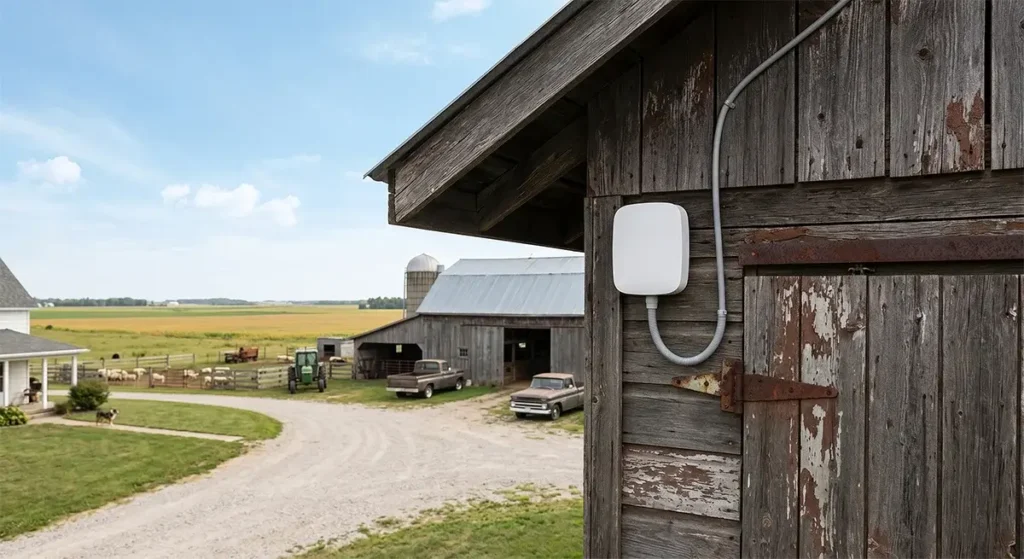
Getting Wi-Fi into a detached garage, shop, barn, or outbuilding is a common rural networking challenge. Here are the most reliable approaches in order of performance:
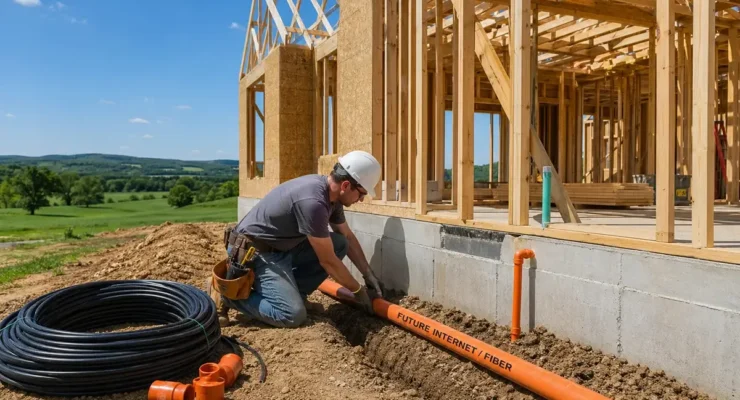
- Buried Ethernet cable (best): Running outdoor-rated direct-burial Cat6 cable from your router to a wired access point in the outbuilding provides the most reliable, highest-speed connection. Dig a 6-inch trench, lay Cat6 direct-burial cable, and connect a standard wall-plate Ethernet outlet in the outbuilding. Add an Eero or UniFi access point connected via Ethernet for excellent coverage in the outbuilding. This approach is permanent, weatherproof, and immune to radio interference.
- Point-to-point wireless bridge (second best): For outbuildings where trenching is impractical, Ubiquiti’s AirMAX NanoBeam or PowerBeam units provide a high-bandwidth wireless link between buildings. Mount one unit on the main house and one on the outbuilding, align them visually, and they create a dedicated wireless backhaul link of 150–300 Mbps — enough for multiple devices in the outbuilding.
- MoCA adapter over coaxial cable: If your property has existing coaxial cable runs between buildings (common on older farms with cable TV infrastructure), MoCA adapters from Actiontec or Motorola can convert that coaxial cable to carry a gigabit Ethernet signal — no new cable installation required.
- Powerline adapters (last resort): Adapters that use electrical wiring to carry network signals are a last resort — performance is highly variable and dependent on the age and quality of your electrical wiring. On rural properties with long electrical runs and older wiring, powerline adapters often deliver disappointing results.
Setting Up Your Router with Starlink Bypass Mode
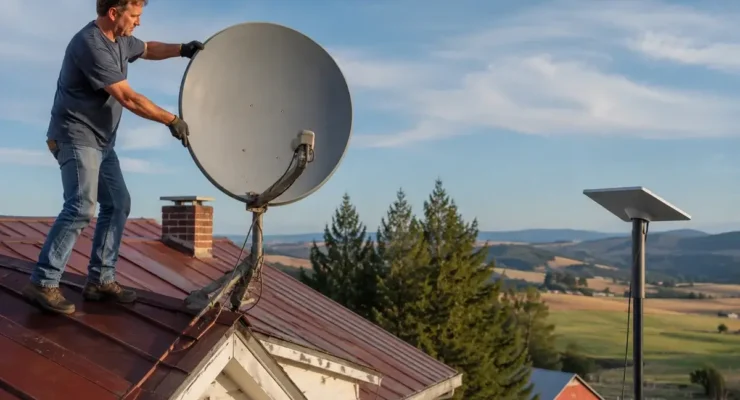
Starlink’s included router is functional but basic. Setting up a third-party router with Starlink requires enabling “Bypass Mode” (also called “IP Passthrough” in some firmware versions) in the Starlink app. Here’s the process:
- Connect your third-party router to the Starlink PoE injector via a standard Ethernet cable (you’ll need a Starlink Ethernet Adapter for Gen 3 dishes — approximately $25 from Starlink’s accessory store).
- Open the Starlink app on your phone, navigate to Settings → Advanced → Bypass Mode, and enable it.
- Power cycle both the Starlink dish and your router. The router will receive a public IP address directly from Starlink and begin managing your network.
- Configure your router’s Wi-Fi networks, QoS settings, and VPN as desired.
One important note: enabling Bypass Mode disables the Starlink router’s ability to monitor dish statistics through the app. You can still use the Starlink app on a device connected to your third-party router to view dish performance data, but some advanced statistics are only accessible when the Starlink router is active. Most users find this trade-off worthwhile for the improved Wi-Fi performance of a premium mesh system.
Advanced Rural Network Setup Tips
- Create separate SSIDs for IoT devices: Security cameras, smart plugs, and other IoT devices are statistically the most vulnerable entry points for network intrusions. Placing them on a separate Wi-Fi network (a “guest network” or dedicated VLAN) isolates them from computers and phones, preventing a compromised IoT device from accessing your sensitive data.
- Set up a dual-WAN failover: If you have both Starlink and a cellular backup connection, configure your router to automatically switch to the cellular backup when Starlink drops. Peplink routers and the UniFi Dream Machine Pro both support this natively. Consumer routers like ASUS ZenWiFi also offer basic dual-WAN failover in their settings.
- Use QoS to prioritize work traffic: Schedule bandwidth priority for your work computer’s MAC address during business hours. This prevents family members’ 4K streaming from degrading your video call quality during important meetings.
- Enable DNS-over-HTTPS: Use a privacy-respecting DNS resolver like Cloudflare (1.1.1.1) or Quad9 (9.9.9.9) configured in your router. This speeds up DNS resolution (web page loading feels faster) and prevents your ISP from logging your browsing history through DNS queries.
Frequently Asked Questions
How many mesh nodes do I need for a 4,000 sq ft rural home?
For a 4,000 sq ft home with standard rural construction (plaster walls, older materials), plan on a 3-node mesh system. The rated coverage area of most premium 3-node systems (5,400–6,500 sq ft) provides adequate coverage buffer for signal reduction through dense walls. For homes with very thick walls or unusually complex layouts, a 4th node may be needed in the most remote areas.
Will a better router improve my Starlink speeds?
A better router won’t increase the speeds Starlink delivers to your home — those are determined by Starlink’s network, not your router. However, a better router will improve the distribution of those speeds throughout your home, reduce the performance gap between the device closest to the router and those at the far end of the house, and improve performance consistency during peak device usage periods.
Do I need a special router for satellite internet?
No special router type is needed for satellite internet. Any quality router that works with a standard Ethernet WAN input will work with Starlink (in Bypass Mode), HughesNet, or Viasat. The router recommendations in this guide are compatible with all these internet sources.
What’s the best outdoor Wi-Fi access point for covering a barn or workshop?
For outdoor coverage of a barn or workshop, the Ubiquiti UniFi U6 Mesh is the most cost-effective weatherproof outdoor access point that delivers enterprise-grade performance. It’s IP67-rated (fully weatherproof), supports Wi-Fi 6, and connects to any standard network via a single PoE Ethernet cable. Pair it with a 6-port PoE network switch in your home and direct-burial Cat6 cable for a permanent, high-performance barn network.

Leave a Reply