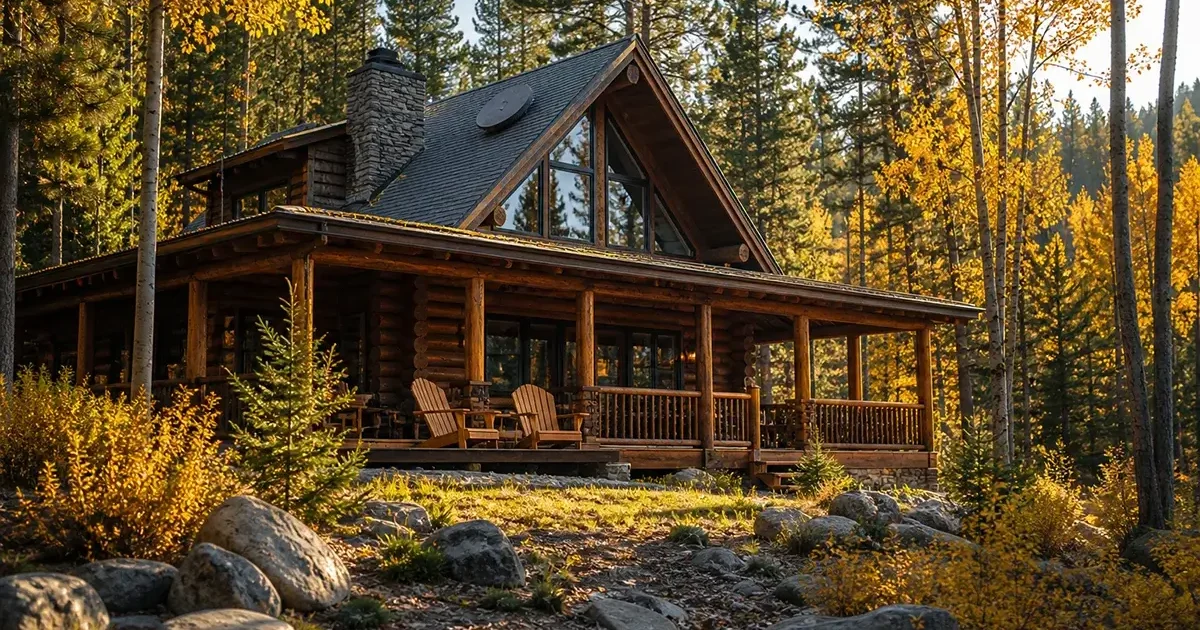
A rural vacation home or cabin presents a uniquely challenging internet problem. You need connectivity that works reliably — but you may only be there on weekends, for a month in summer, or during hunting season. You want simple setup, minimal ongoing maintenance, and ideally something that doesn’t cost $120/month when the cabin sits empty for eight months of the year. And if you rent the property through Airbnb or VRBO, your guests increasingly expect reliable Wi-Fi as a baseline amenity that directly affects your reviews and bookings. This comprehensive guide covers every internet option for rural vacation homes and cabins in 2026, with specific attention to seasonal use, rental property needs, remote management, and the real cost of different approaches over a typical ownership period.
In This Guide
- Understanding Your Vacation Home Internet Needs
- Options for Seasonal and Part-Time Use
- Full-Time or Frequent-Use Cabin Internet
- Internet for Airbnb and VRBO Rental Cabins
- Starlink for Vacation Homes: Options and Costs
- Cellular Solutions for Cabins
- Remote Network Management
- Security Cameras on Rural Cabin Internet
- Annual Cost Analysis by Usage Pattern
- FAQs
Understanding Your Vacation Home Internet Needs
Before choosing a rural cabin internet solution, honestly assess your specific usage pattern — because the right answer for a weekend cabin used 20 times per year is very different from the right answer for a summer retreat occupied for 3 solid months:
| Usage Pattern | Annual Occupied Days | Best Approach | Estimated Annual Cost |
|---|---|---|---|
| Occasional weekend cabin (own use only) | 15–30 days | Cellular hotspot — bring your own | $0 (use existing phone plan) |
| Regular weekend cabin (2–3 per month) | 50–80 days | T-Mobile Home Internet or Starlink Roam paused monthly | $600–$1,200/yr |
| Summer/seasonal retreat (1–3 months) | 60–90 days | Starlink with seasonal pause or T-Mobile | $300–$720 active months |
| Vacation rental (Airbnb/VRBO, guests year-round) | Continuous operation | Starlink Standard or Business — always on | $1,440–$3,000/yr |
| Second home (used heavily year-round) | 150+ days | Starlink Standard — permanent install | $1,440/yr |
Options for Seasonal and Part-Time Cabin Use
Option 1: Bring your own cellular hotspot (zero extra monthly cost)
For cabins used only occasionally — hunting weekends, a week at Thanksgiving, occasional summer visits — the simplest solution is no installed internet at all. Bring your smartphone or a portable cellular hotspot device on each visit and use your existing phone plan’s hotspot data. If cellular coverage exists at your cabin, this is genuinely adequate for basic use. If coverage is poor, a weBoost Drive Reach OTR booster ($475) installed in your vehicle can dramatically improve the signal available to your phone or hotspot device when parked at the cabin.
Option 2: Starlink Roam with service pausing
The Starlink Roam plan ($150/month) allows service to be paused for up to 12 months, making it attractive for seasonal cabin use. If you use the cabin for 4 months and pause for 8 months, your effective annual cost is 4 × $150 = $600 plus the one-time $349 hardware cost. You own the dish, can set it up each season, and enjoy 50–120 Mbps internet during your occupied months. The main limitation: the standard dish must be manually deployed and connected each season — a 15–30 minute setup process each time you arrive.
Option 3: T-Mobile Home Internet with monthly cancel/restart
T-Mobile Home Internet has no contract and no cancellation fee. In theory, you could cancel service when leaving the cabin and restart it when returning. In practice, this is logistically cumbersome — canceling and restarting triggers hardware return/re-shipment which doesn’t work for seasonal cycling. Better approach: keep T-Mobile active year-round if the $50/month cost is acceptable as an always-on security camera and monitoring connection even when unoccupied, or accept the $50/month cost as your always-on cabin internet.
Option 4: Cellular-based always-on router (LTE router + monthly data plan)
A dedicated cellular LTE router — like the GL.iNet Spitz X or Pepwave MAX BR1 — with a dedicated SIM card and data plan can be left permanently installed in a cabin, consuming power only when active, and provides Wi-Fi to guests and owners without any setup required on arrival. Plans from Verizon ($20–$30/month for 15–30 GB) or T-Mobile ($30–$50/month for unlimited) provide a permanent cabin connection that also powers security cameras year-round. The total investment ($150–$300 for the router, $20–$50/month for data) is often lower than Starlink for light-use cabins.
Internet for Airbnb and VRBO Rental Cabins
For rural cabins listed on short-term rental platforms, internet has moved from an amenity to a requirement. Guests filter search results by Wi-Fi availability, and reviews citing “no Wi-Fi” or “terrible Wi-Fi” in a rural rental property are reputation-damaging in a market where guests increasingly expect connectivity even in remote settings.
Key requirements for rental cabin internet:
- Always-on — no seasonal pausing. Guests book year-round on most platforms; the internet must work whenever a guest is present regardless of whether that’s January or August.
- No guest setup required. Guests should arrive to find working Wi-Fi they connect to with a simple password — no app setup, no dish deployment, no technical knowledge required.
- Separate guest network from owner/management network. Configure your router to provide a guest Wi-Fi network isolated from any security cameras, smart home devices, or owner-use devices on the main network.
- Bandwidth management. Limit per-device bandwidth to 15–20 Mbps to prevent one guest streaming 4K video from degrading service for other guests in the same booking group.
- Remote management capability. You need to be able to restart the router, check if the connection is working, and adjust settings remotely — a router with cloud management capability (Eero, Ubiquiti UniFi, or Peplink) is strongly recommended.
Recommended setup for rental cabins: Starlink Standard ($120/month) as primary internet, with the router managed through the Starlink app from anywhere. Add a cellular backup router ($50–$150 hardware + $20–$40/month for a dedicated backup SIM) to maintain connectivity if Starlink goes down during a guest’s stay — an outage during a paid reservation is bad for reviews regardless of cause.
Starlink for Vacation Homes: Complete Options
Starlink offers three relevant configurations for vacation homes and cabins:
1. Residential with Portability ($120/month): The most straightforward option if you want to use the same dish at your primary home AND your cabin. Portability is a free add-on that allows the dish to be used at any address within the US. You physically move the dish between locations, which takes 15–30 minutes of setup each time. Performance at each location may vary slightly from your registered home address, but is typically equivalent for rural locations with unobstructed sky.
2. Starlink Roam ($150/month, pausable): Best for cabin-only use where you want to pause service during unoccupied months. $30/month more expensive than Residential, but the pause capability can save $60–$120 over a season if you’re away for 2–3 months at a time.
3. Dedicated Residential Subscription for the cabin ($120/month): If you own both a primary home Starlink and want a permanently installed dish at your cabin, a second residential subscription is the simplest approach. Both dishes remain deployed and connected; no physical moving of equipment required. The extra $120/month (net of any pausing) may be justified by the convenience, particularly for rental properties where the dish should never be moved.
Remote Network Management for Unoccupied Cabins
When you’re not at the cabin, you still need visibility into whether the internet is working — especially for rental properties where a down connection affects guests. Remote network management strategies:
- Router with cloud management: Eero routers (managed through the Eero app) allow you to see device connections, restart the router remotely, and check network status from anywhere. Ubiquiti UniFi and Peplink cloud management offer similar capabilities with more advanced features.
- Smart plug on router circuit: A cellular-connected smart plug (TP-Link Tapo or similar) allows you to remotely power-cycle the router if it becomes unresponsive — a simple fix for most router crashes.
- Uptime monitoring service: Free services like UptimeRobot ping your cabin’s public IP address every few minutes and send alerts if it goes down, giving you immediate notification of connectivity issues during guest stays.
- Backup cellular connection for management: If your primary internet goes down, you lose the ability to remotely manage the router that’s supposed to fix the problem. A separate cellular backup connection (even a low-cost SIM in a dedicated router) provides management access even when primary internet is down.
Annual Cost Analysis by Cabin Usage Pattern
| Usage Pattern | Recommended Solution | Hardware Cost | Annual Service Cost | 5-Year Total |
|---|---|---|---|---|
| Weekend hunting cabin (20 days/yr) | Phone hotspot (no extra service) | $0 | $0 | $0 |
| Mountain retreat (4 months/yr) | Starlink Roam, pause 8 months | $349 | $600 | $3,349 |
| Vacation rental (year-round bookings) | Starlink Standard (always on) | $349 | $1,440 | $7,549 |
| Vacation rental + backup cellular | Starlink + cellular backup router | $549 | $1,800 | $9,549 |
| Remote cabin with security cameras only | LTE router + 15 GB data plan | $200 | $300 | $1,700 |
Frequently Asked Questions
Can I leave my Starlink dish installed at my cabin year-round even when I’m not there?
Yes. The Starlink dish is designed for permanent outdoor installation and can remain mounted year-round. When unoccupied and not paused, the system continues running and consuming $120/month in service fees. If the router remains powered, the connection stays active — useful for security cameras and remote monitoring. If you want to pause the connection cost, you need to either pause the Starlink Roam plan or cancel and reinstall service seasonally. The dish hardware itself requires no winter preparation — the built-in heater manages cold weather, and the dish is rated for extreme temperature ranges.
My rental cabin guests complain about Wi-Fi. What can I do?
The most common causes of guest Wi-Fi complaints in rural rental cabins: slow satellite service (upgrade to Starlink if on HughesNet/Viasat), poor Wi-Fi distribution (add mesh nodes or outdoor access points for larger properties), and the expectation gap (market your Wi-Fi honestly with realistic speed descriptions in your listing). If you’re already on Starlink and guests still complain, the issue is likely Wi-Fi distribution rather than internet speed — add a mesh node at the far end of the cabin and ensure guests know to connect to the nearest access point.
Is there a cheaper alternative to Starlink for a cabin I visit 10–15 times per year?
For very light use (10–15 visit days per year), using your smartphone as a hotspot is genuinely the most cost-effective approach if cellular signal is available at the cabin. A weBoost Drive Reach booster in your vehicle can improve the signal available for hotspot use. If cellular coverage is poor, a LTE router with a prepaid SIM (30 GB for $25/month or similar) costs less than Starlink and is adequate for light use. Starlink makes economic sense when your monthly cabin use days exceed approximately 15–20 days, you need high-speed performance for work, or you operate the property as a rental requiring always-on connectivity.
Internet for Remote Hunting Cabins
Hunting cabins present a specific variation of the rural vacation property internet challenge. They are often deeply remote — further from any infrastructure than typical vacation cabins — may be used intensively during a specific hunting season (weeks in October-November) and minimally or not at all during the rest of the year, and may need to support a group of hunters with varying internet expectations.
For hunting cabins, the most practical solutions depend on remoteness and seasonal use:
- Very remote, seasonal use only: Bring a cellular hotspot or smartphone with boosted signal (weBoost Drive Reach in the vehicle) for basic communication needs during hunting trips. Many hunting cabin users prefer minimal connectivity and don’t want or need internet beyond emergency communication capability.
- Remote, but want internet for group entertainment and communication: Starlink Roam with manual setup each season. Bring the dish each trip, set it up in a clearing, connect the router, and enjoy broadband during the stay. Store the dish properly between seasons (inside, temperature controlled).
- Permanent hunting camp with regular use and staff: Starlink Standard or Business with a permanently installed dish. Even if the camp is only occupied during hunting season, year-round service at $120/month may be worthwhile for year-round security camera monitoring, remote caretaker communication, and the convenience of immediate connectivity each arrival.
Security Cameras and Remote Monitoring for Rural Vacation Homes
A rural vacation home that sits unoccupied for months at a time is particularly vulnerable to theft, vandalism, and unreported damage from weather events or utility failures. Internet-connected security cameras and remote monitoring sensors provide property owners with year-round visibility even when thousands of miles away.
For a minimal always-on monitoring connection when the primary internet is paused, consider a dedicated cellular router on a basic data plan ($20–$30/month for 10–15 GB) that powers only the security cameras and a smart home hub. This costs significantly less than keeping full-service Starlink active during unoccupied months while still providing remote visibility and alert capability. When you arrive for your next visit, switch the router’s SIM to your full-service plan (or activate Starlink) for comprehensive household internet.
Security cameras designed for rural remote properties should be rated for outdoor use, operate at temperatures your vacation home experiences year-round (including cold winter temperatures at mountain cabins), and ideally support cellular connectivity fallback if the primary internet fails. Systems from Reolink, Amcrest, and Ring all offer outdoor-rated cameras compatible with rural internet setups.

Leave a Reply