
Starlink offers multiple service plans with different pricing, portability, and flexibility characteristics — and choosing the wrong one can cost you hundreds of dollars per year or prevent you from using the service the way you actually need to. The decision between Starlink Roam and Starlink Residential is one of the most common questions from new rural Starlink customers, particularly those with RVs, vacation properties, seasonal residences, or situations where they want to use their Starlink dish at multiple locations. This comprehensive comparison covers every meaningful difference between Starlink Roam and Residential in 2026, with specific guidance for the different rural use scenarios where each plan is the right choice.
In This Guide
- Starlink Plan Overview 2026
- Starlink Roam: Complete Explanation
- Starlink Residential: Complete Explanation
- Head-to-Head Comparison
- When to Choose Roam
- When to Choose Residential
- The Portability Add-On for Residential
- Pausing Starlink Service
- Switching Between Plans
- RV-Specific Roam Guidance
- Frequently Asked Questions
Starlink Plan Overview 2026
Starlink offers several service tiers in 2026. For rural residential and mobile users, the primary plans to understand are:
| Plan | Price | Use at Home Address | Use at Other Locations | Pausable | Priority Data |
|---|---|---|---|---|---|
| Residential | $120/mo | Yes (home address) | With Portability add-on ($25/mo) | No | 1 TB/mo |
| Roam (Regional) | $150/mo | Yes | Yes (within US region) | Yes (up to 12 months) | 50 GB/mo (then slower) |
| Roam (Global) | $200/mo | Yes | Yes (worldwide) | Yes | 50 GB/mo (then slower) |
| Priority | $250/mo | Yes (home address) | With add-ons | No | Unlimited |
Starlink Roam: Complete Explanation
Starlink Roam is designed for users who want to use their Starlink dish at multiple locations — not just their registered home address. It is the plan for RV travelers, boaters who move between anchorages, people with multiple properties, and anyone whose internet needs are mobile or multi-location rather than fixed at a single address.
Key Roam features:
- Location flexibility: The dish can be used at any physical location within the service region (US for Regional Roam, worldwide for Global Roam) — campgrounds, driveways at friend’s houses, remote cabin properties, anywhere with a clear sky view and power.
- Service pausing: Roam service can be paused for up to 12 months per year through the Starlink app. Pausing suspends billing for the paused period. This is the most important financial feature of Roam for seasonal and occasional users — a cabin used for 4 months annually costs 4 × $150 = $600/year in active service charges, versus $1,440/year for year-round Residential service.
- Priority data: Roam includes only 50 GB of priority data per month — significantly less than Residential’s 1 TB. After 50 GB, Roam users are deprioritized more aggressively during network congestion periods. For light users (email, basic browsing, occasional streaming), 50 GB may be adequate. For households with heavy internet use, 50 GB is typically exhausted within the first week of each month.
- In-Motion capability: Roam can add the In-Motion add-on ($25/month) that enables dish use while the vehicle is moving — but this requires the Flat High Performance dish ($2,500) rather than the standard Gen 3 dish. Standard dish + Roam = stationary use only, even while on the Roam plan.

Starlink Residential: Complete Explanation
Starlink Residential is the standard home internet plan — designed for use at a single registered address on a permanent basis. It is the lowest-cost plan option ($120/month) with the highest priority data allocation (1 TB/month).
Key Residential features:
- Fixed address service: The Residential plan registers your dish to a specific home address and provides the best service quality at that address. Using the dish at a different location (camping trip, second home) is technically possible but violates the residential service terms without the Portability add-on.
- 1 TB priority data: Significantly more priority data than Roam’s 50 GB — the most important performance advantage for heavy household users.
- Not pausable: Residential service cannot be paused. You pay $120/month every month whether you use it or not. This is the key financial disadvantage for seasonal and occasional users.
- Portability add-on ($25/month): Adds the ability to use the Residential dish at other locations within the US when traveling or visiting secondary properties. Does not increase the priority data allocation or add In-Motion capability. The Portability add-on is charged only for the months you activate it — you can add and remove it month by month.
Head-to-Head Comparison
| Factor | Roam (Regional) | Residential | Residential + Portability |
|---|---|---|---|
| Monthly Price | $150 | $120 | $145 |
| Priority Data | 50 GB | 1 TB | 1 TB |
| Use at Other Locations | Yes, anytime | No | Yes, when Portability active |
| Service Pausing | Yes (up to 12 mo/yr) | No | No |
| Best Annual Cost (seasonal 4 months) | $600 (4 active months) | $1,440 (12 months) | $1,440 (12 months) |
| Best Annual Cost (full year, heavy user) | $1,800 | $1,440 | $1,440–$1,740 (varies) |
When to Choose Starlink Roam
- Seasonal cabin or vacation home: If your property is occupied for less than 8 months per year, Roam with pausing during the vacant months costs less annually than Residential’s year-round billing. A cabin occupied May through October (6 months) costs $900 on Roam versus $1,440 on Residential — $540 annual savings.
- Full-time RV traveler: RVers moving between campgrounds and sites need location flexibility that Residential doesn’t provide. Roam is designed for this use case — use it at any campsite within the US without changing account settings.
- Hunting cabin or seasonal recreational property: Used only during deer season, fishing season, or similar short windows — Roam’s pausing capability makes the effective annual cost very low for properties with short occupation seasons.
- Multi-property users who move the dish: If you physically move a single Starlink dish between your primary home and a vacation property multiple times per year, Roam is technically the right plan — it accommodates this use case without the address-change friction of Residential.
- Users with very light data needs: If your internet use is genuinely minimal (email, light browsing, no streaming), Roam’s 50 GB priority data may be adequate — though Residential’s 1 TB threshold accommodates all use patterns without concern.
When to Choose Starlink Residential
- Primary home internet for a year-round rural residence: Residential’s 1 TB priority data allocation and $120/month price make it the right choice for households using Starlink as their main internet connection year-round.
- Heavy data users (streaming, remote work, gaming): Roam’s 50 GB priority data is exhausted quickly by modern household internet use. A household that streams TV nightly, has a remote worker using video calls, and has teenagers gaming will exhaust 50 GB within 5–7 days. Residential’s 1 TB handles this household comfortably for the full month.
- Year-round rental property: Vacation rentals that host guests year-round need year-round connectivity without the gaps that Roam pausing creates. Residential at $120/month provides always-on service for rental guests.
- Rural businesses: Farm operations, rural businesses, and home-based businesses that depend on internet year-round should use Residential (or Priority for high-demand operations). Business continuity requires year-round always-on service that Residential and Priority provide.
Pausing Starlink Service: How It Works
Service pausing is available only on the Roam plan — Residential cannot be paused (only canceled). Pausing works as follows:
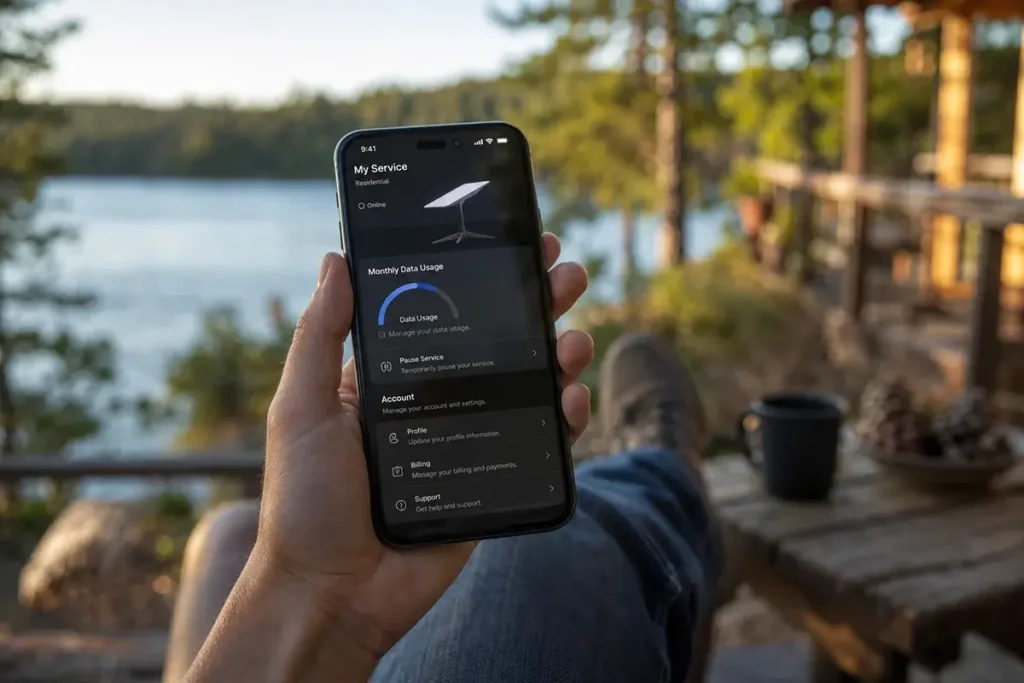
- Pause and resume through the Starlink app under Account → Manage Service
- Service pauses at the end of the current billing period — you continue using service through your already-paid period before pausing begins
- During paused periods: no service charges, dish remains powered and capable of resuming instantly when you unpause
- Maximum pause period: 12 months per calendar year. After 12 months of pausing, you must either resume service or cancel.
- Resume instantly: unpausing through the app restores service within minutes, not hours
RV-Specific Roam Guidance
For full-time and part-time RVers, Starlink Roam is the correct plan. Specific considerations for RV Starlink use:
- The standard Gen 3 dish must be stationary while operating — you cannot use it while the RV is moving. Pull in, park, set up the dish (or if permanently mounted on the RV, connect the router), and use the internet at your campsite.
- For connectivity while driving between destinations, your smartphone’s cellular hotspot remains the practical solution — Starlink’s standard dish physically cannot operate at highway speeds.
- Many RVers use Starlink for campsite internet and cellular hotspot for driving — a combination that covers both scenarios at reasonable combined cost.
- Campgrounds that prohibit dish installation on the ground or roof may be challenging — always ask the campground about their Starlink policy before relying on it at a specific destination. Many campgrounds now explicitly permit Starlink setups given widespread RV community adoption. For more specific guidance on rural campground connectivity, see our complete campground internet guide.
Frequently Asked Questions
Can I switch from Residential to Roam or vice versa?
Yes. Starlink allows plan changes through the app under Account → Service Plan. Switching takes effect at the next billing cycle. You can switch from Residential to Roam if you want the pausing capability, or from Roam to Residential if you’ve settled at a permanent address and want the higher priority data allocation and lower monthly cost. The same dish hardware works on either plan — no new hardware purchase is required when switching plans.
Can I use Residential at two different addresses without Portability?
Technically, Starlink’s Gen 3 dish can connect at any location in the same country — the dish finds satellites and connects regardless of your registered address. However, Starlink’s Terms of Service restrict Residential plan use to the registered service address. Using Residential at a different address without the Portability add-on violates the service agreement. While Starlink may not actively enforce this in all cases, it’s the technically correct usage boundary — and adding Portability ($25/month only when needed) is the compliant approach for multi-location use.
Which plan is best for a hunting cabin in rural Pennsylvania?
Starlink Roam, paused during non-hunting months. If you use the cabin for deer season (October–December) and occasional spring turkey season (April–May), you’re looking at approximately 4–5 active months per year. At $150/month active × 4 months = $600/year in service charges versus $1,440/year for Residential — $840 in annual savings. The 50 GB monthly priority data is typically adequate for a hunting camp’s light use pattern (email, weather apps, occasional streaming in the evenings). Pause service from June through September and from January through March to minimize annual cost while maintaining easy reactivation for each hunting season.
Understanding the Portability Add-On for Residential
For Residential plan subscribers who occasionally want to use their Starlink at a second location — camping trips, visiting family with the dish, temporary relocation — the Portability add-on ($25/month) provides this capability without switching to the Roam plan. Understanding how Portability differs from Roam’s inherent portability helps with the selection:
The Portability add-on for Residential provides the physical ability to use the dish at another US location when activated, but it does NOT provide the service pausing capability, and it does not change the priority data allocation from the Residential plan’s 1 TB. Portability is charged only for months you activate it — you can add it for a camping trip month, then remove it the following month when you’re home. This makes it cost-effective for occasional multi-location use on a Residential base plan.
The mathematical comparison: a user with Residential ($120/month) who adds Portability during 2 camping trip months per year pays $120 × 12 + $25 × 2 = $1,490/year with 1 TB monthly priority data. The same user on Roam ($150/month year-round, no pausing) pays $1,800/year with only 50 GB monthly priority data. For the full-year user who occasionally needs portability, Residential + Portability add-on is both cheaper ($310/year less) AND provides more priority data (1 TB vs 50 GB). Only when the service pausing capability provides meaningful savings — seasonal use of less than 8 months per year — does Roam’s higher base price become the better value through paused-month savings.
Global Roam for International Travelers and Snowbirds
Starlink’s Global Roam plan at $200/month enables use in supported countries worldwide — relevant for rural Americans who spend extended time outside the US. The most common use cases for Global Roam among rural Americans are snowbirds who winter in Mexico, Central America, or the Caribbean, and full-time RVers and sailors who cross US borders into Canada or Mexico. Global Roam’s $200/month price combined with the pausing capability makes it cost-effective for snowbirds who spend 3–5 months abroad: $200 × 4 months = $800 for the foreign residence period, paused the remaining 8 months while at their US primary address using Residential service. The total flexibility of Roam plans for this lifestyle is unmatched by any other rural broadband solution — satellite coverage follows the user regardless of which country they’re in, providing the “always connected” infrastructure that mobile lifestyles require. Check Starlink’s current international coverage map before international travel, as coverage in specific countries can change as Starlink expands its regulatory approvals and satellite capacity in new markets.


Leave a Reply