
Rural internet users have specific and often misunderstood VPN needs. Whether you’re a remote worker required by your employer to use a corporate VPN, a farmer protecting sensitive business data transmitted over a public Wi-Fi connection in town, or a rural household concerned about the privacy implications of satellite internet, VPN technology affects your rural broadband experience in ways that differ significantly from urban users with gigabit fiber connections. A VPN that works seamlessly on a 500 Mbps fiber connection may create frustrating performance degradation on a 70 Mbps Starlink connection. This comprehensive guide covers the best VPNs for rural internet users in 2026, with specific attention to how VPN performance interacts with satellite, cellular, and fixed wireless rural connections.
In This Guide
- Why Rural Internet Users Need (or Think They Need) a VPN
- How VPNs Affect Rural Internet Performance
- Corporate VPN on Rural Internet
- Best VPN Services for Rural Internet 2026
- VPN Performance on Starlink Specifically
- Split Tunneling: The Rural User’s Best VPN Feature
- Setting Up a VPN on Rural Network Equipment
- When a VPN Actually Matters for Rural Users
- Frequently Asked Questions
Why Rural Internet Users Need (or Think They Need) a VPN
VPN marketing has created significant confusion about what VPNs actually protect against and when they’re genuinely necessary. For rural internet users, clearly distinguishing between legitimate VPN use cases and marketing-driven fear is the starting point for making smart decisions:
Legitimate rural VPN use cases:
- Corporate access requirements: Many employers require employees to connect through corporate VPN tunnels when accessing company systems remotely. This is not optional — it’s a security policy requirement. Rural remote workers must use whatever VPN their employer provides, regardless of performance impact on their rural connection.
- Public Wi-Fi security: When using Wi-Fi at rural libraries, coffee shops, co-working spaces, or other public access points, a VPN protects your traffic from other users on the same network. This is genuinely useful security practice on shared public networks.
- Access to geo-restricted content: Rural users accessing streaming content libraries or services that are geographically restricted for legitimate reasons sometimes use VPNs to access content available in other regions. Note that this may violate streaming service terms of service.
- Satellite internet privacy: Starlink and cellular home internet providers can technically observe your unencrypted internet traffic. A VPN encrypts traffic between your device and the VPN server, preventing your ISP from seeing your browsing content. This is a legitimate privacy consideration, though the practical risk of ISP traffic monitoring for typical rural users is lower than VPN marketing often implies.
VPN misconceptions that waste money for rural users:
- “VPNs make you anonymous online”: VPNs shift who can see your traffic (from your ISP to the VPN provider) but do not make you anonymous. If you’re logged into Google, Facebook, or any account, your identity is known regardless of VPN status.
- “VPNs protect you from hackers on home internet”: Your home Starlink or cellular connection is already encrypted between your device and the ISP’s network. The risk of someone intercepting your home internet traffic without a VPN is extremely low — virtually zero on Starlink. This specific VPN use case provides negligible real security benefit for rural home networks.
How VPNs Affect Rural Internet Performance
VPNs add overhead to your internet connection in several ways that compound with the existing performance characteristics of rural internet:
Latency addition: A VPN routes your traffic through an intermediate server, adding the round-trip distance to that server to every connection. On a Starlink connection with 25 ms baseline latency, a VPN adds 10–50 ms depending on how geographically close the VPN server is to both your location and the destination server. Total effective latency with VPN: 35–75 ms — still usable for most applications but meaningfully higher than baseline.
Encryption overhead: VPN encryption and decryption requires CPU processing that slightly reduces throughput. On modern devices with hardware AES acceleration, this overhead is typically negligible (less than 5% throughput reduction). On older devices without hardware acceleration, encryption can reduce speeds by 10–30%.
Protocol efficiency: Different VPN protocols have dramatically different performance characteristics. WireGuard — the newest major VPN protocol — is significantly faster and lower-latency than older protocols like OpenVPN and IKEv2, making protocol choice critical for rural users where every additional millisecond of latency matters more than on fiber connections.
Best VPN Services for Rural Internet Users 2026
1. Mullvad VPN — Best for Privacy-Focused Rural Users
Price: €5/month ($5.50 equivalent) | Protocol: WireGuard, OpenVPN | No-logs policy: Independently audited
Mullvad is designed from the ground up for privacy rather than convenience — it accepts cash payment, requires no email address to sign up (just an account number), and has a genuinely independent no-logs audit record. For rural users who care primarily about ISP-level traffic privacy on their Starlink or cellular connection, Mullvad’s WireGuard implementation delivers excellent performance with minimal latency addition. Mullvad’s servers are concentrated in North America and Europe, providing good performance for most US rural users. The straightforward flat pricing and no annual commitment structure suits rural users who want flexibility.
2. ProtonVPN — Best for Remote Workers
Price: Free – $10/month | Protocol: WireGuard, OpenVPN, Stealth | Free tier: Yes (limited servers)
ProtonVPN from the makers of ProtonMail offers a rare free tier that provides unlimited data with server selection limited to three countries. For rural remote workers on employer-mandated VPNs who additionally want personal privacy protection, ProtonVPN’s free tier covers personal browsing while the employer VPN handles work traffic. The paid tier ($10/month) unlocks all server locations and the advanced Stealth protocol that bypasses VPN blocking. ProtonVPN’s transparency reports, published source code, and Swiss legal jurisdiction make it one of the most trusted consumer VPN options.
3. ExpressVPN — Best All-Around Performance
Price: $6.67–$12.95/month | Protocol: Lightway (proprietary WireGuard-based) | Servers: 3,000+ in 94 countries
ExpressVPN’s proprietary Lightway protocol is specifically engineered for performance on varying connection quality — making it particularly well-suited for rural internet connections where speeds fluctuate. Lightway reconnects faster than any other protocol when your Starlink connection briefly drops (during satellite handoffs or weather events), making it the best choice for maintaining stable VPN sessions on rural satellite connections. The extensive server network provides consistently low latency across the US. At the higher price point, ExpressVPN is best justified for rural users who need consistent performance for professional use rather than occasional privacy protection.
4. NordVPN — Best Feature Set
Price: $3.79–$11.99/month | Protocol: WireGuard (NordLynx), OpenVPN | Servers: 5,400+ in 60 countries
NordVPN’s NordLynx protocol (WireGuard-based) delivers excellent performance, and its Meshnet feature is particularly valuable for rural remote workers — it allows creating a private encrypted network between your home devices and other NordVPN devices, enabling secure access to home network resources from anywhere without the complexity of traditional VPN server configuration. For rural farmers who want to access farm security cameras, smart home devices, or NAS storage remotely, NordVPN’s Meshnet provides a simpler alternative to port forwarding and dynamic DNS setup.

Split Tunneling: The Most Important VPN Feature for Rural Users
Split tunneling allows you to route only specific apps or traffic through the VPN while other traffic uses your regular internet connection directly. This is arguably the most important VPN feature for rural users on bandwidth-constrained connections, because it eliminates the performance overhead of VPN for applications that don’t need it.
Example split tunneling configuration for a rural remote worker:
- Through VPN (corporate traffic): Work email client, corporate Slack/Teams, company cloud storage, internal tools accessed via corporate URLs
- Direct connection (bypasses VPN): Netflix, YouTube, Spotify, personal email, web browsing, gaming, video calls with family
With this configuration, only work-related traffic routes through the performance-reducing corporate VPN — streaming and personal browsing use your full rural internet speed without VPN overhead. The performance difference is significant: a Starlink connection that shows 80 Mbps direct might show only 45 Mbps through a geographically distant corporate VPN. With split tunneling routing Netflix directly, you get full 80 Mbps for streaming while corporate traffic correctly routes through the secure VPN.
Not all VPNs support split tunneling equally. Mullvad, NordVPN, and ExpressVPN all support both app-based and IP-based split tunneling on Windows and macOS. Check your specific VPN provider’s documentation for split tunneling setup — it typically takes 5 minutes to configure and can dramatically improve the rural remote work experience.
VPN Performance on Starlink Specifically
Starlink presents specific VPN considerations that differ from cable or fiber connections:
CGNAT (Carrier-Grade NAT): Starlink places subscribers behind CGNAT — multiple subscribers share a public IP address. This prevents incoming connections to your Starlink connection, which affects certain VPN server configurations and some peer-to-peer applications. For most commercial VPN service use (where you initiate the connection to the VPN server), CGNAT has no impact. For running your own VPN server at home to access home devices remotely, CGNAT prevents standard setups — you need either Starlink’s optional public IP add-on or a third-party tunneling service like Tailscale or Cloudflare Tunnel.
Changing IP addresses: Starlink customers receive dynamic IP addresses that change periodically. This doesn’t affect commercial VPN service use (which connects outbound to fixed VPN servers) but does affect self-hosted VPN server setups that require connecting to a specific home IP address. DDNS services (Dynamic DNS) provide a consistent hostname that updates automatically when your IP changes, solving this for self-hosted VPN setups.
WireGuard is strongly recommended over OpenVPN for Starlink: Starlink connections experience brief interruptions during satellite handoffs (milliseconds to seconds). WireGuard reconnects from interruptions in 1–3 seconds due to its stateless connection design. OpenVPN can take 15–60 seconds to re-establish after the same interruption. For rural Starlink users on VPN, this difference is the distinction between brief hiccups and frustrating session drops during important work calls.
Frequently Asked Questions
Does using a VPN reduce my Starlink speeds?
Yes, somewhat — typically 10–30% speed reduction depending on the VPN provider, protocol, and server location. Using WireGuard protocol and choosing a VPN server in a nearby city minimizes the performance impact. A Starlink connection averaging 90 Mbps might achieve 65–80 Mbps through a well-optimized WireGuard VPN — still excellent for all common uses. The FCC’s consumer privacy guide provides useful context for evaluating when ISP privacy protection through a VPN is genuinely warranted versus when the performance trade-off may not be justified.
Can I use a VPN with T-Mobile Home Internet?
Yes. VPN use with T-Mobile Home Internet works the same as any other connection. T-Mobile Home Internet also uses CGNAT, creating the same limitations as Starlink for self-hosted VPN servers. Commercial VPN services (Mullvad, NordVPN, ExpressVPN) work normally. For corporate VPN access, performance depends on the VPN protocol and server location — WireGuard-based protocols perform best on cellular connections.
My employer requires a VPN that dramatically slows my rural connection. What can I do?
Request that your IT department enable split tunneling on the corporate VPN, or ask about a VPN profile that routes only corporate resources through the tunnel while your general internet traffic goes direct. Many corporate IT departments already support split tunneling configurations and simply haven’t communicated this option to remote employees. If your employer uses Cisco AnyConnect, Palo Alto GlobalProtect, or Zscaler — all major corporate VPN platforms — split tunneling capability exists and can be enabled by IT policy. Framing the request in terms of productivity and bandwidth cost (your rural satellite plan’s data is consumed by non-corporate traffic routing through the corporate network unnecessarily) often gets a positive response from IT departments who are also managing their own network bandwidth.
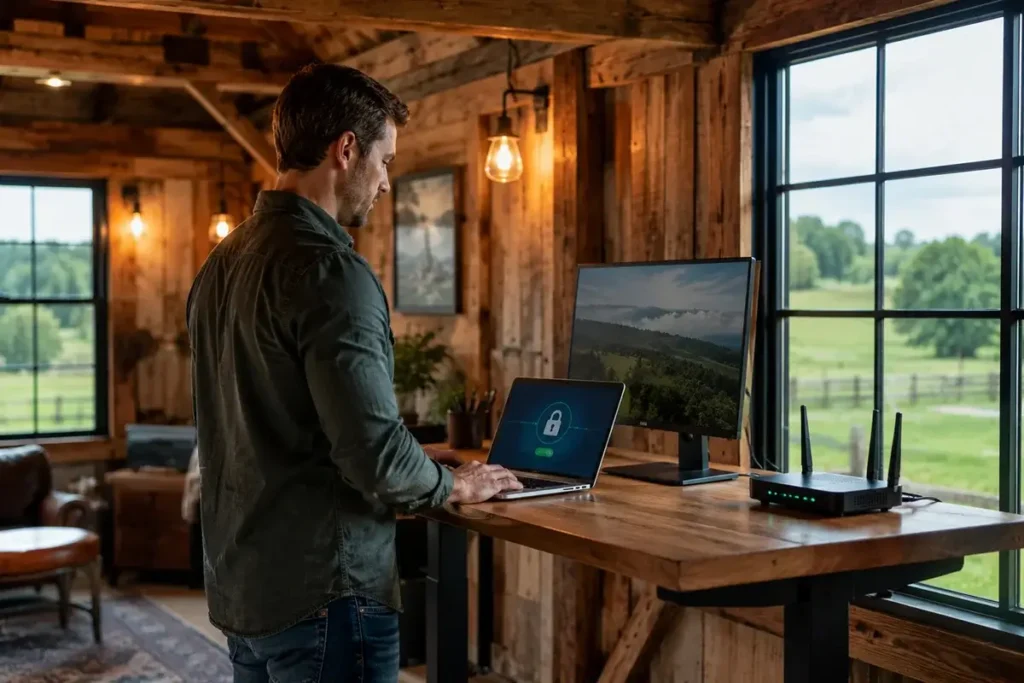
VPN Considerations for Rural Farm Operations
Rural agricultural businesses have specific VPN needs that differ from typical remote workers. Farm operations that use cloud-connected precision agriculture platforms, remote equipment monitoring systems, and USDA digital program portals benefit from certain VPN configurations that protect sensitive agricultural business data — including crop yield data, chemical application records, financial transaction data, and equipment telemetry that agricultural technology companies aggregate and potentially monetize.
Agricultural data privacy: Precision agriculture platforms including John Deere Operations Center, Climate FieldView (owned by Bayer), and Granular (owned by Corteva) collect and retain significant amounts of farm operational data. While these platforms have privacy policies governing their use of this data, privacy-conscious farm operators may prefer to route precision agriculture platform traffic through a VPN to prevent ISP-level traffic analysis of which agricultural platforms they use and how intensively. Mullvad or ExpressVPN with split tunneling configured for the specific agricultural platform applications provides this protection without routing the entire farm network through VPN overhead.
USDA portal access: Farm Service Agency (FSA), Natural Resources Conservation Service (NRCS), and Risk Management Agency (RMA) digital portals contain sensitive farm financial and program data. These portals use HTTPS encryption for data in transit, so a VPN does not add meaningful security for portal access itself — but a VPN prevents your ISP from seeing the timing and frequency of your USDA portal visits, which can indicate crop insurance activity, program enrollment changes, and other potentially sensitive business information.
Remote access to farm management systems: Farm operations that maintain on-premises servers or NAS devices for local farm management software (AgriWebb, FarmBooks, Farm Works) need secure remote access when away from the farm. A VPN server running on a Raspberry Pi or NAS device at the farm, accessible over Starlink via WireGuard, provides encrypted remote access to the farm network without exposing management systems to the public internet. This is the most security-critical VPN application for farm operations and worth the setup investment for operations with sensitive on-premises data.
For most rural farm operations, the practical VPN recommendation is straightforward: if your farm uses cloud-based platforms only (no on-premises servers), a consumer VPN like Mullvad ($5/month) provides adequate privacy protection without the complexity of self-hosted solutions. If your farm has on-premises servers you need to access remotely, a self-hosted WireGuard VPN with Tailscale or a dedicated business VPN provides the most secure and performant remote access architecture for agricultural operations on Starlink connectivity. The Electronic Frontier Foundation’s privacy guidance provides a useful framework for evaluating data privacy decisions relevant to rural business operations using cloud-connected services.



Leave a Reply