
Switching internet providers in a rural area involves considerations that simply don’t apply to urban switches. In the city, switching from Comcast to AT&T fiber is often as simple as scheduling an installation appointment — both services are available, the hardware is standard, and the transition is relatively smooth. In a rural area, switching might mean returning specialized satellite hardware, dealing with early termination fees from a 24-month contract, navigating a provider with limited customer service reach, and ensuring your new service is genuinely available and tested before you cancel the old one. Whether you’re switching from HughesNet to Starlink, from Starlink to newly-arrived cooperative fiber, from a cellular hotspot to a fixed wireless provider, or any other rural internet transition, this comprehensive guide walks through every step of the process to ensure a smooth switch without gaps in connectivity or unexpected costs.
In This Guide
- Before You Switch: Essential Pre-Transition Steps
- Switching From HughesNet
- Switching From Viasat
- Switching From Starlink
- Switching to Newly Available Fiber
- Running Both Services During Transition
- Updating Your Network Configuration
- Cancellation Tips and Avoiding Fees
- Equipment Return and Hardware Disposition
- Frequently Asked Questions
Before You Switch: Essential Pre-Transition Steps
The most expensive and frustrating rural internet provider switches happen when people cancel their existing service before fully validating their new service. In rural areas — where no alternate service may exist if the new provider turns out to be inadequate — this risk is significantly higher than in urban markets. Follow these steps before initiating any switch:
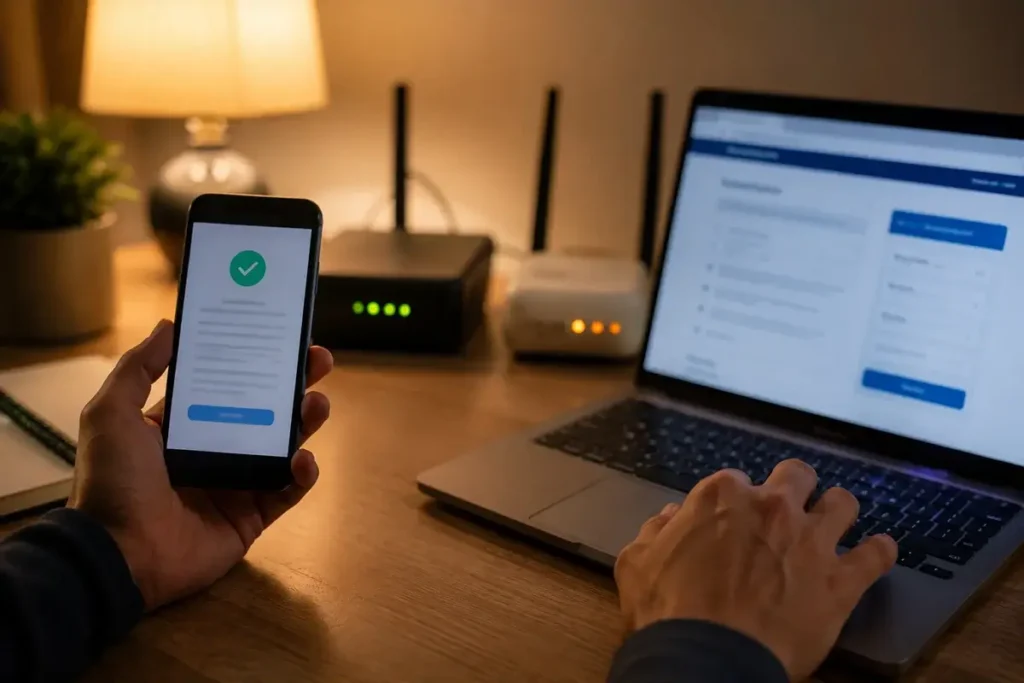
- Verify your new service actually delivers adequate performance at your address. Not just “available” as shown on a coverage map — actually operational, connected, and tested over at least one full week including peak-hour performance. Order the new service in parallel with your existing service, paying for overlap. The cost of 2–4 weeks of dual service is far less than the cost of switching without coverage and discovering the new service doesn’t work as expected.
- Read your current contract’s cancellation terms completely. Know your exact early termination fee (if any), your billing cycle dates, and the equipment return process before initiating cancellation. Early termination fees of $300–$500 significantly change the economics of switching — factor this into your decision timeline.
- Document your network configuration. Before touching anything in your network setup, write down: your Wi-Fi network name (SSID) and password, any static IP addresses or port forwarding rules you’ve configured, any VPN or DNS settings, and the make/model of your router and any network equipment. You’ll need this to replicate your setup on the new service.
- Notify anyone who depends on your internet connection. Remote work colleagues, clients who might call, students who use your connection — give them advance notice of the transition period when service may be briefly interrupted or reconfigured.
- Check whether your IP address changes affect any services. If you’ve configured port forwarding for security cameras, remote access, or gaming, your new service’s IP address will be different. Update any DDNS hostnames, static IP configurations, or external references to your home IP after switching.
Switching From HughesNet: Complete Process
HughesNet’s 24-month contract and equipment lease make switching more complex than no-contract services:
Calculate your early termination fee: HughesNet charges up to $400 in early termination fees, declining by approximately $16 per month completed. If you have 6 months remaining on a 24-month contract, your ETF is approximately $96. If you have 18 months remaining, it’s approximately $288. The exact formula is in your service agreement — confirm with HughesNet customer service before proceeding.
Consider strategic timing: If you’re within 3–4 months of your contract end date, waiting until the contract naturally expires eliminates the ETF entirely. The cost of HughesNet service for those remaining months must be weighed against the immediate ETF cost — sometimes waiting is the smarter financial choice.
Get new service fully operational before canceling HughesNet: Order Starlink, cooperative fiber, or whatever new service you’re switching to and get it fully operational before contacting HughesNet about cancellation. Test your new service for at least a week during business hours and peak evening periods before being certain it meets your needs.
HughesNet equipment return: After canceling, HughesNet will send you a prepaid shipping label to return the modem/router unit. The dish is not typically returned — it’s yours (though you can’t use it for anything else). Make sure you return the indoor equipment promptly to avoid being charged for unreturned equipment. The dish, mounting hardware, and cables attached to your home can be left in place or removed as you prefer — HughesNet does not require or facilitate dish removal.
HughesNet phone number for cancellation: 1-866-347-3292. Call rather than using online chat for documented confirmation of your cancellation date, final billing amount, and return shipping instructions. Get a confirmation number and the representative’s name.
Switching From Viasat: Complete Process
Viasat’s cancellation process is similar to HughesNet’s with some differences:
Early termination fee: Viasat charges up to $500 in early termination fees. Like HughesNet, the fee declines over the contract term. Some Viasat subscribers report more aggressive early termination fee enforcement than HughesNet, so confirm your exact ETF before initiating cancellation.
Equipment: Viasat leases its equipment — the dish, modem, and router must all be returned after service cancellation. Viasat provides prepaid return shipping for the indoor equipment but the dish is a significant item. Confirm with Viasat whether you need to ship the dish or whether it can be left in place (mounting hardware and all) — policies have varied and should be confirmed for your specific contract.
Cancellation notice period: Review your Viasat contract for any required cancellation notice period. Some Viasat contracts require 30 days advance notice before cancellation takes effect, which affects your billing cycle and the timing of when to contact them.
Switching From Starlink: The Easiest Rural Switch
Starlink’s no-contract structure makes it the easiest rural internet service to cancel or switch away from. Because you own the hardware and there is no early termination fee, the only decision is timing:
Hardware decisions after leaving Starlink:
- Keep as backup: Store the dish and router for emergency use or future secondary location use. No ongoing cost while inactive. Can be reactivated on a new account within minutes.
- Pause service instead of canceling (Roam plan): If on Starlink Roam, you can pause service for up to 12 months without losing your account or hardware registration. Useful if you’re switching to new fiber that might have reliability issues during initial deployment.
- Sell the hardware: Gen 3 dishes sell for $150–$250 on eBay, Facebook Marketplace, and Starlink’s own resale platform. Consider selling if you have a reliable fiber alternative and no secondary use case for the dish.
Cancellation process: In the Starlink app → Account → Manage Service → Cancel Service. Cancellation takes effect at the end of your current billing period. Service continues until the billing period ends — you are not cut off immediately upon initiating cancellation.
What to do with the dish: The Starlink dish can be left mounted permanently — it’s designed for permanent outdoor installation and causes no harm to your home by remaining in place. The proprietary cable can be disconnected and capped at both ends. Many rural homeowners keep the dish mounted as an option to quickly reactivate if their new service proves inadequate.
Switching to Newly Available Rural Fiber
If a rural fiber provider (electric cooperative, telephone company, BEAD-funded ISP) has arrived in your area, the switch from satellite or cellular to fiber involves a few specific steps:
Understand the installation process: Fiber installation requires a technician visit to run fiber from the road to your home (called the “drop”) and install the ONT (Optical Network Terminal — the fiber modem). This process typically takes 2–4 hours. Schedule it for a time when you can be home, and plan for the day’s internet disruption.
Confirm the drop construction cost: Some fiber installations require construction of the drop — burying or aerial cable from the road to your home. If your home is more than 150–200 feet from the road, there may be a drop construction cost of $300–$1,000+ depending on the distance and terrain. Ask for this cost upfront before scheduling installation.
Plan your router configuration: Fiber providers supply an ONT that outputs a standard Ethernet connection. Your existing router (whether from your old ISP or a third-party router you own) connects to the ONT’s Ethernet port. If you’ve been using your router in Starlink Bypass Mode, you simply disconnect the Starlink Ethernet Adapter from your router’s WAN port and connect the fiber ONT’s Ethernet output instead. Your home Wi-Fi network, IP-based settings, and connected devices all remain unchanged.
Don’t cancel existing service until fiber is live and tested: Rural fiber deployments are sometimes delayed, installations sometimes hit unexpected complications, and initial service sometimes has issues that take a few days to resolve. Wait until you’ve had fiber working reliably for at least a week before canceling your satellite or cellular backup service.
Running Both Services During Transition: The Smart Approach
For rural residents who cannot tolerate any internet downtime — remote workers, businesses, telehealth patients — running both services simultaneously during the transition period is worth the 2–4 weeks of dual service cost. The overlap strategy:
- Order new service while keeping old service active
- Install and configure new service alongside old service
- Test new service thoroughly during business hours, evening peak, and various weather conditions
- When confident in new service, configure your dual-WAN router to make new service primary and old service backup (if you have a dual-WAN capable router)
- After 1–2 weeks of new service as primary with no performance concerns, initiate cancellation of old service
- Complete old service cancellation per their process
Cancellation Tips and Protecting Yourself
- Always cancel by phone, not online chat. Phone cancellations create a call recording; online chats are less reliably logged. Ask for a cancellation confirmation number and the date your service will end.
- Document everything. Screenshot or photograph your account page showing the cancellation confirmation. Keep records of equipment return tracking numbers. Note the date and time of each cancellation call and the representative’s name.
- Watch your bank statement for 2–3 billing cycles after cancellation. Both HughesNet and Viasat have documented cases of continued billing after cancellation. Dispute any unauthorized charges promptly with both the provider and your credit card company.
- Return equipment by the deadline. HughesNet and Viasat both charge for unreturned equipment — fees of $200–$400 or more. Return indoor equipment immediately upon receiving the prepaid shipping label, and confirm tracking shows delivery to the provider.
Frequently Asked Questions
Can I keep my rural internet phone number when switching providers?
If you use VoIP phone service over your internet connection (Ooma, RingCentral, Vonage), your phone number is associated with the VoIP account, not the internet service — you can switch internet providers without changing your VoIP phone number. If you use the phone service your satellite or cable provider includes in a bundle, porting that number to a VoIP service before canceling is possible but requires advance planning. If you only use cellular for phone calls, this question doesn’t apply.
What happens to my email address when I switch internet providers?
If you use a provider-branded email address (e.g., @hughes.net or @viasat.com), that address typically stops working when you cancel service. Migrate to a provider-independent email service (Gmail, Outlook.com, ProtonMail) before canceling. Set up the new email, notify contacts, update accounts, and forward emails from the old address for as long as the provider allows — typically 30–90 days after cancellation. This is the single most commonly overlooked step in internet provider switches and can cause significant disruption if not planned carefully. See the FTC’s consumer guidance on protecting personal information online for additional tips on managing digital account transitions safely.
My new fiber service is slower than expected. Should I cancel and go back to Starlink?
Not immediately. Newly deployed rural fiber networks sometimes have initial performance issues that resolve within 30–60 days as the ISP optimizes the network. Document your speed tests with timestamps, contact the provider’s technical support, and give them a reasonable opportunity (2–4 weeks) to resolve performance issues before making the final switch decision. If performance doesn’t improve to the advertised level after this period, you have a legitimate basis for contract cancellation without ETF in most states based on failure to deliver the contracted service.
Can I use my Starlink dish at a different rural address after switching providers?
Yes. The Starlink dish can be reinstated with a new residential subscription at a different address, used under the Portability feature (on any Residential account) at different locations, or transitioned to a Roam plan for full portability. The hardware remains functional regardless of what happens to your original service address subscription. This is one of Starlink’s most valuable features — the hardware you own retains full utility even if you move, switch to fiber at your primary address, or want to use satellite at a secondary location.
Switching From Starlink to Electric Cooperative Fiber
As more rural electric cooperatives complete fiber deployments, Starlink users in those service areas face a decision: switch to cooperative fiber, stay on Starlink, or run both. For users making this specific transition, several considerations are unique to the cooperative context.
Cooperative fiber is typically symmetric — 100 Mbps or 1 Gbps both upload and download versus Starlink Standard’s 8–18 Mbps upload. If your rural work involves significant file uploads, video production, or cloud-heavy applications, the upload speed improvement alone may justify the switch even if the download speeds are comparable. Additionally, cooperative fiber’s latency (2–8 ms vs Starlink’s 20–60 ms) eliminates the occasional brief latency spikes that Starlink users experience during satellite handoffs — relevant for competitive gaming, professional trading platforms, or other latency-critical applications.
The transition process from Starlink to cooperative fiber mirrors the general overlap strategy: schedule your cooperative fiber installation for a date 2–4 weeks before you plan to cancel Starlink. Run both connections simultaneously — cooperative fiber connected to your primary router, Starlink connected to a secondary router or the Starlink router in its own network. Use the cooperative fiber as primary for 2 weeks, evaluating performance at all times of day and for all applications you use. If satisfied, cancel Starlink service (no ETF, no equipment return required) and store the dish as an emergency backup option.
Switching From DSL to a Local WISP
The switch from legacy telephone company DSL to a local fixed wireless WISP is one of the most common rural internet provider changes and one of the most impactful in terms of performance improvement. WISP installation typically requires a brief technician visit to mount the outdoor antenna — schedule this after you’ve confirmed DSL cancellation terms and timing.
One important consideration when switching from DSL: your existing telephone service may be bundled with your DSL internet service. If you cancel the DSL internet, you may inadvertently cancel bundled telephone service as well — or discover that standalone telephone service from the telephone company is significantly more expensive than the bundled rate. Evaluate your complete relationship with the telephone company before canceling DSL, and consider transitioning to VoIP for your telephone service simultaneously with the internet switch to avoid unexpected telephone service cost increases.
How long does it take to get Starlink after ordering?
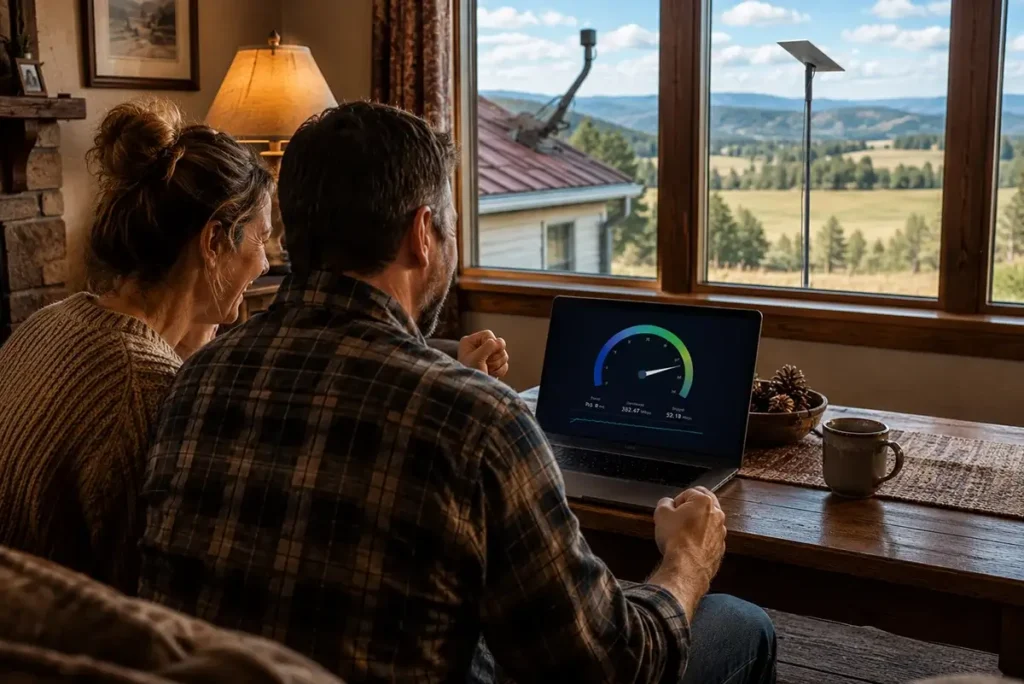
In most US rural markets as of 2026, Starlink ships within 3–7 business days of ordering. There is no waitlist for the vast majority of rural US addresses. Hardware arrives via standard FedEx or UPS ground shipping. After hardware arrives, installation typically takes 2–4 hours for a straightforward mounting scenario. The entire process from ordering to having working internet is typically 1–2 weeks for most rural customers — significantly faster than scheduling a cable or WISP installation that requires a technician appointment.
What should I do with my old HughesNet dish after switching?
The HughesNet dish mounted on your roof or pole is considered installed hardware and is typically not required to be returned when canceling service — only the modem/receiver inside the home needs to be returned in the kit HughesNet sends. The outdoor dish may be removed at your option if you prefer your roof clear, or left in place as it poses no ongoing cost or liability after the account is canceled. Some rural customers leave the old dish mounted as evidence for insurance purposes or simply because removing it from a roof mount is more effort than leaving it in place. If you do wish to remove it, the installation is typically standard dish mounting hardware removable with basic tools.
Can I switch internet providers in the middle of a HughesNet contract?
Yes — you can switch at any time, but switching before your HughesNet contract expires means paying an early termination fee. Calculate the remaining ETF (call HughesNet or check your account portal), compare it to the monthly savings of your new service, and determine your payback period. For example: if your HughesNet ETF is $200 and you’re switching to Starlink ($120/month) from HughesNet ($80/month for a comparable plan), the $40/month savings means your ETF payback period is 5 months — meaning you come out ahead financially after month 5 of the switch. If Starlink’s performance improvement is a priority for remote work or telehealth, many rural users find this payback calculation justifies an immediate switch regardless of remaining contract time.
Will my streaming services work the same after switching to Starlink?
Yes, and in most cases significantly better. Streaming services that were challenging on HughesNet or Viasat due to high latency and peak-hour throttling work smoothly on Starlink’s lower-latency, higher-bandwidth connection. Netflix, Disney+, Hulu, YouTube, and other major streaming platforms all work well on Starlink. Some streaming services (notably Netflix) may need to update the account’s streaming quality settings to match your new higher-bandwidth connection — the default quality setting may have been capped by the previous connection’s limitations. In the Netflix or other service’s account settings, update video quality to “Auto” or “High” to take advantage of Starlink’s higher available bandwidth for streaming.
What If the New Service Doesn’t Work As Expected?
Not every rural internet provider switch works out as anticipated. A WISP that has excellent reviews may have inadequate coverage at your specific property. A T-Mobile Home Internet gateway may deliver inadequate speeds due to weak signal at your address. Even Starlink can have sky obstruction challenges that aren’t apparent until the dish is installed and running. Having a plan for the “new service doesn’t work” scenario before you cancel your old service is essential:
The overlap strategy protects you here — if you have not yet canceled your old service when the new service proves inadequate, simply continue using the old service and return or deactivate the new one. T-Mobile and Verizon Home Internet offer 15-day return windows specifically for this scenario. Starlink allows cancellation and hardware return within a short window after order, and the no-contract model means canceling after a disappointing first month costs only the first month’s service fee rather than an ETF.
For Starlink specifically, if initial performance is poor, before canceling: check the sky obstruction report in the Starlink app after running for 24–48 hours. Many performance issues that seem like network problems are actually obstruction-related and resolvable by relocating the dish to a position with better sky clearance. Also check whether the coverage cell for your area is heavily congested at peak hours — early morning speeds versus evening speeds tell you whether congestion is the cause. Network congestion typically improves as SpaceX adds capacity through additional satellites; obstruction issues require physical dish relocation to resolve.
Provider Loyalty Offers When You Try to Cancel
When rural internet customers call to cancel service — particularly from providers like HughesNet and Viasat that have higher churn as Starlink alternatives have become available — the customer retention team will frequently offer discounts, temporary rate reductions, or service upgrades to prevent cancellation. Understanding these offers helps you evaluate them objectively:
A 3-month promotional discount that reduces your HughesNet bill by $20/month is worth $60 in the short term — but does nothing to address the fundamental latency problem that makes HughesNet inadequate for video calls and telehealth. If latency is the core problem with your current service, no pricing discount from your current provider solves it. Accept retention offers only if they address your actual service problem (speed, data limits) rather than just reducing the monthly bill while the performance issues remain.
Retention offers sometimes include contract extensions as a condition — a 6-month discount that resets your contract term to 24 months may lock you in longer than the discount is worth. Read the fine print of any retention offer carefully before accepting. The ability to switch to a better rural internet option without contract penalty in the future may be worth more than a short-term discount that resets your contract clock.




Leave a Reply