
HughesNet has been synonymous with rural satellite internet in America for over two decades. At its peak, it was the only viable broadband option for millions of rural households who had no cable, no DSL, and no fiber. But in 2026, the rural internet landscape has been completely transformed by Starlink’s arrival and the expansion of cellular home internet. So where does HughesNet fit today? Is it still worth considering, or has it been overtaken by better options? In this comprehensive, honest HughesNet review for 2026, we cover everything current and prospective customers need to know — real performance data, plan pricing, data cap realities, customer experience, and the critical question of who should and should not sign up.
In This Guide
- What Is HughesNet and How Does It Work?
- Plans and Pricing in 2026
- Real-World Speed and Performance
- The Latency Problem Explained
- Data Caps: The Biggest Frustration
- Installation and Equipment
- Customer Service and Reliability
- Pros and Cons
- Who Should Still Consider HughesNet?
- Better Alternatives to Consider
- Frequently Asked Questions
What Is HughesNet and How Does It Work?
HughesNet is a satellite internet service operated by EchoStar Corporation (formerly Hughes Network Systems), headquartered in Germantown, Maryland. The service uses geostationary satellites — currently the Jupiter 2 and Jupiter 3 satellites — positioned approximately 35,786 kilometers above the equator. At this altitude, the satellites appear stationary relative to the Earth’s surface, allowing dishes to remain fixed in position rather than tracking a moving target.
The Jupiter 3 satellite, launched in 2023, represents HughesNet’s most significant infrastructure upgrade in over a decade. With a capacity of over 500 Gbps — roughly three times the capacity of its predecessor — Jupiter 3 allowed HughesNet to expand plan offerings and improve speeds in many markets. However, the fundamental physics of geostationary satellite communication have not changed: signals must still travel 35,786 km to the satellite and the same distance back, imposing an unavoidable latency floor of approximately 500–700 milliseconds that no amount of hardware investment can eliminate.
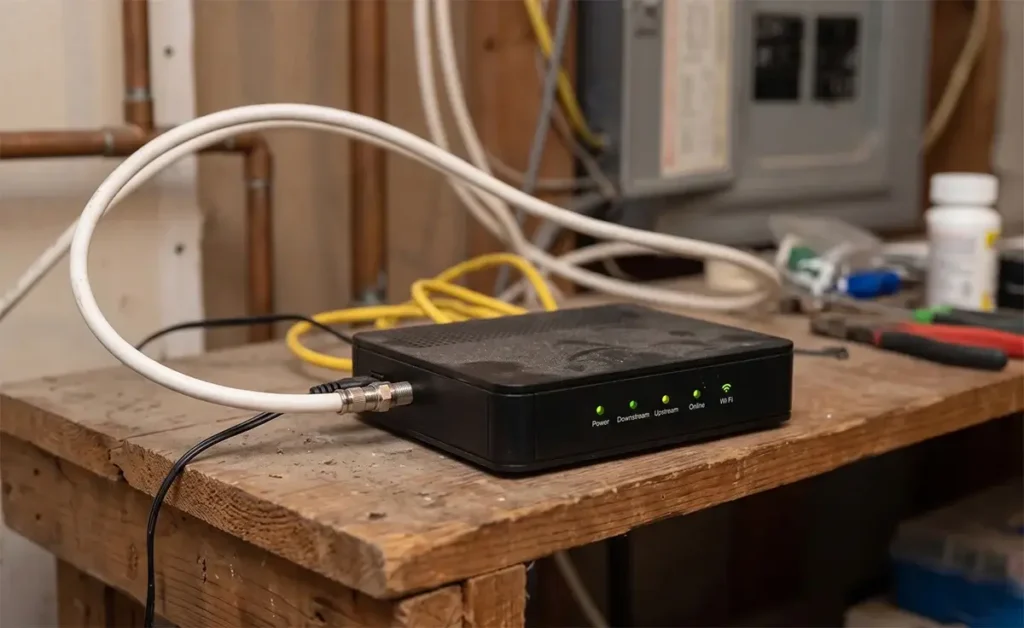
HughesNet operates on Ku-band and Ka-band radio frequencies. The installation involves a dish (approximately 60–90 cm in diameter) mounted on your roof or a ground pole, aimed precisely at the geostationary satellite’s position. A coaxial cable runs from the dish to an indoor modem/router unit that provides internet and Wi-Fi to your home. The installation is done by a certified HughesNet technician — unlike Starlink, which ships you the equipment and expects DIY installation.
HughesNet Plans and Pricing in 2026
HughesNet’s pricing structure has evolved considerably since Jupiter 3’s deployment. The provider now offers plans under the “HughesNet Fusion” branding in some markets, which combines satellite connectivity with a cellular LTE component to reduce latency for certain applications. Here is the current plan structure as of 2026:
| Plan | Monthly Price | Priority Data | Speeds (Download) | Contract | Equipment |
|---|---|---|---|---|---|
| Select 15 | $49.99/mo | 15 GB | Up to 25 Mbps | 24 months | Leased ~$14.99/mo |
| Select 30 | $64.99/mo | 30 GB | Up to 25 Mbps | 24 months | Leased ~$14.99/mo |
| Select 100 | $89.99/mo | 100 GB | Up to 50 Mbps | 24 months | Leased ~$14.99/mo |
| Elite 200 | $124.99/mo | 200 GB | Up to 50 Mbps | 24 months | Leased ~$14.99/mo |
Important pricing notes that aren’t always front and center in HughesNet advertising:
- Equipment leasing: The ~$14.99/month equipment fee is charged separately and adds approximately $360 per year to your total cost. Unlike Starlink’s $349 one-time hardware purchase, you never own the HughesNet equipment.
- Early termination fee: Canceling a HughesNet contract before 24 months incurs an early termination fee of up to $400, declining by approximately $16 per month completed. This is a significant lock-in cost.
- Price increases: HughesNet contracts allow the company to increase monthly rates with advance notice. Many long-term customers have seen their rates increase 10–20% from their original signup price.
- Bonus Zone data: All HughesNet plans include an additional 50 GB of “Bonus Zone” data available between 2:00 AM and 8:00 AM daily. This is useful for scheduling large downloads overnight but does not address daytime usage constraints.
When you factor in equipment leasing, the true monthly cost of HughesNet ranges from approximately $65 to $140 per month — considerably closer to Starlink’s pricing than the advertised base rates suggest.
Real-World Speed and Performance
HughesNet’s advertised download speeds are “up to 25 Mbps” on standard plans and “up to 50 Mbps” on newer Jupiter 3 plans in eligible markets. Real-world performance, based on FCC Measuring Broadband America data and aggregated Speedtest.net results, consistently shows a gap between these advertised speeds and what customers actually experience:
| Metric | HughesNet Advertised | Real-World Median (FCC MBA Data) | Peak Hour (7–10 PM) |
|---|---|---|---|
| Download Speed | Up to 25–50 Mbps | 12–22 Mbps | 8–15 Mbps |
| Upload Speed | Up to 3 Mbps | 1.5–3 Mbps | 1–2 Mbps |
| Latency | “Low latency experience” | 620–780 ms | 680–850 ms |
The FCC’s Measuring Broadband America fixed broadband report has consistently shown HughesNet delivering below its advertised speed tier during peak usage hours. Download speeds of 12–18 Mbps in the evenings are common, and upload speeds — critical for video calls and cloud sync — rarely exceed 3 Mbps under any conditions.
The “HughesNet Fusion” service, available in select markets, adds a cellular LTE channel that handles latency-sensitive requests like DNS lookups and small web page elements while using the satellite connection for bulk data transfer. In areas with adequate cellular coverage, Fusion reduces the perceived latency for web browsing to 30–60 ms. However, this improvement is application-specific — video calls, gaming, and VoIP still route over the satellite backbone and experience the full 600–800 ms latency.

The Latency Problem — Why It Matters More Than Speed
The most misunderstood aspect of HughesNet — and geostationary satellite internet in general — is that latency is often a more important performance metric than download speed for the applications that matter most to modern internet users.
Latency (measured in milliseconds) is the round-trip time for a data packet to travel from your device to a server and back. On HughesNet, every single data transaction must travel 35,786 km to the satellite, then to a ground station, then to the internet, then back through the same path — a minimum round trip of over 71,000 km. The speed of light imposes a physical floor of approximately 480 ms for this journey; real-world conditions add another 100–200 ms of overhead.
What 600–800 ms latency means in practice:
- Video calls: A 600 ms delay means when you stop talking, the other person doesn’t hear it for over half a second. Conversations become a stilted, over-each-other exercise in frustration. Zoom, Teams, and Google Meet all function technically, but the experience is noticeably degraded compared to any low-latency connection.
- VoIP phone calls: Traditional telephone conversation rhythm requires latency under 150 ms for natural back-and-forth. At 600+ ms, VoIP calls feel like talking on a delayed international line from the 1990s. Most business VoIP systems are essentially unusable.
- Online gaming: Virtually all multiplayer online gaming genres require latency under 100 ms for playable experiences. At 600–800 ms, real-time games are completely unplayable. Even turn-based games with server synchronization experience noticeable delays.
- Remote desktop and VPN: Corporate VPN connections route all traffic through the employer’s servers. On HughesNet’s high latency connection, screen updates in remote desktop sessions lag noticeably, making keyboard and mouse input feel unresponsive.
For rural users who primarily need internet for email, light web browsing, and pre-recorded video streaming (Netflix, YouTube), the latency issue is less immediately impactful. These applications buffer content rather than requiring real-time back-and-forth communication, so 600 ms latency is less disruptive. But for any household with a remote worker, students in online school, gamers, or users making video calls, HughesNet’s latency is a fundamental obstacle.
Data Caps: The Biggest Source of Customer Frustration
HughesNet’s data cap structure is consistently the source of the most negative customer feedback. Here’s what the caps mean in real usage terms:
The entry-level 15 GB plan sounds like it should be enough for basic use — but consider what modern internet consumption actually looks like. Streaming one hour of standard-definition video on Netflix consumes approximately 1 GB of data. A single HD Zoom call burns through 1–1.5 GB per hour. Downloading a typical game update on a gaming console can be 10–50 GB alone. A single Windows 10 or 11 major update is 3–6 GB. With a 15 GB monthly cap, a household can realistically exhaust its priority data in the first week through normal use without being extravagant.
Once priority data is exhausted, HughesNet throttles speeds to approximately 1–3 Mbps for the remainder of the billing cycle. At this speed, standard-definition video struggles to stream reliably, web pages load slowly, and cloud sync stalls. The Bonus Zone’s additional 50 GB is available between 2–8 AM daily, which is useful for heavy overnight users but impractical for households with normal sleep schedules.
Upgrading to the 100 GB or 200 GB plans reduces the frequency of throttling but at significantly higher costs ($90–$125/month before equipment fees). At those price levels, Starlink’s $120/month plan with 1 TB of priority data becomes highly competitive on both price and data allocation.
HughesNet Installation and Equipment
HughesNet installation is performed by a certified technician sent to your home, typically within 3–10 business days of ordering. The technician installs the dish, runs the coaxial cable to your interior modem/router, and configures the system. This professional installation is convenient but limits your control over dish placement and cable routing.
The modem/router unit HughesNet provides is a combination device that handles both the satellite modem function and Wi-Fi distribution. It is leased, not owned — you pay $14.99/month for equipment you return at the end of service. The Wi-Fi performance of the included unit is adequate for small homes but may struggle in larger rural properties. HughesNet does not officially support third-party routers, though technically savvy users can connect their own router to the modem’s LAN port.
One important installation consideration for rural properties: HughesNet dishes require an unobstructed line of sight to a specific point on the southern sky (the location of the geostationary satellite). This is a fixed direction — unlike Starlink, which has some flexibility in which direction to point based on the moving constellation. Properties with dense tree cover to the south, or southern-facing roof sections blocked by dormers or chimneys, may require alternative mounting solutions or ground poles.
Customer Service and Reliability
HughesNet’s customer service reputation has historically been a weak point. J.D. Power’s Internet Service Provider Satisfaction Study has consistently placed satellite internet providers including HughesNet below cable and fiber providers on overall customer satisfaction. Common complaints include:
- Difficulty reaching live customer support without extended hold times
- Early termination fee disputes when customers cancel due to performance issues
- Billing discrepancies between advertised and actual monthly charges
- Slow technician dispatch for equipment or connectivity issues
- Inconsistent service quality between geographic regions depending on satellite capacity
On the positive side, HughesNet has a nationwide certified installer network, which means that repair visits — when needed — can be dispatched to virtually any rural location in the US. For properties in extremely remote areas where self-installation is difficult and local technicians are unavailable, this is a genuine advantage over Starlink’s DIY model.
HughesNet Pros and Cons in 2026
Pros
- Available virtually anywhere in the continental US with a southern sky view
- Entry-level plan starts at $49.99/mo — lower advertised price than Starlink
- Professional installation included — no DIY required
- Jupiter 3 satellite has expanded capacity and improved speeds in some markets
- Bonus Zone provides additional overnight data for flexible users
- Fusion technology reduces perceived latency for basic web browsing in select areas
Cons
- 600–800 ms latency is unavoidable — makes video calls, gaming, VoIP unusable
- Real-world speeds consistently below advertised, especially in peak hours
- Tight data caps (15–200 GB) throttle to 1–3 Mbps when exceeded
- 24-month contract with up to $400 early termination fee
- Equipment leasing adds $180/year to true cost — you never own the hardware
- True monthly cost ($65–$140) is comparable to Starlink when all fees included
- Customer service satisfaction consistently rated below competitors
Who Should Still Consider HughesNet in 2026?
HughesNet makes the most sense for a narrow but real use case: rural households with absolutely minimal internet requirements and no viable alternatives. Specifically:
- Seniors or households that use internet only for email and light web browsing, with no video calls, streaming, gaming, or cloud applications
- Seasonal properties (vacation cabins, hunting camps) where internet is an occasional convenience rather than a daily necessity, and a multi-month service commitment is acceptable
- Properties where Starlink cannot be installed due to severe tree cover blocking the northern sky and no tall mast solution is feasible
- Households where the upfront $349 Starlink hardware cost is a genuine barrier even though the monthly costs are comparable
For anyone who works from home, has school-age children doing online homework, streams video regularly, or relies on any real-time internet application, we strongly recommend exploring all other options — including Starlink, T-Mobile Home Internet, and local fixed wireless — before committing to a 24-month HughesNet contract.
Better Alternatives to Consider Before Signing Up
Before committing to a HughesNet 24-month contract, consider these alternatives:
- Starlink Standard ($120/mo): 65–115 Mbps, 20–60 ms latency, no contract. Outperforms HughesNet in every technical metric. Requires a $349 hardware purchase but no ongoing equipment fees.
- T-Mobile Home Internet ($50/mo): Check availability at your address first. If available, it offers no contract, no data caps, and typically 25–100+ Mbps with low latency — at less than HughesNet’s true all-in cost.
- Viasat: If you’re set on geostationary satellite, Viasat 3 offers higher speed ceilings than HughesNet in many regions. Same high-latency limitations apply.
- Local WISP: Contact your county extension office and ask neighbors about local fixed wireless providers. A WISP offering 25–100 Mbps at $40–$70/month with low latency and no contract often beats every satellite option when available.
For our full comparison of all rural internet options, see our guide to the Best Rural Internet Providers of 2026.
Frequently Asked Questions
Can I cancel HughesNet if I’m not satisfied?
Yes, but you will owe an early termination fee if you cancel within the 24-month contract term — up to $400 in the first few months, declining by approximately $16 each month. Some new customers use the service’s 30-day satisfaction guarantee to exit without penalty. Confirm the exact terms of your specific contract before signing up.
Does HughesNet work during bad weather?
HughesNet can experience signal degradation during heavy rain, dense cloud cover, and severe storms. This is called “rain fade” and is a characteristic of all geostationary satellite services. Brief outages of minutes during severe storms are normal. Snow and ice accumulation on the dish can also cause signal loss.
Is HughesNet fast enough to stream Netflix?
HughesNet can stream Netflix in standard definition (480p) on a single device without data constraints. HD streaming (1080p) requires approximately 5 Mbps sustained and is possible on HughesNet’s speeds but eats through data caps quickly — a single evening of HD streaming can consume 10–15 GB. With a 15 GB monthly plan, one HD movie per week would essentially exhaust your priority data for the month.
How does HughesNet compare to Starlink on price?
HughesNet’s advertised starting price is lower, but the true all-in monthly cost including equipment leasing puts the realistic range at $65–$140/month — overlapping significantly with Starlink’s $120/month Standard plan. The critical difference is that Starlink’s $349 hardware is a one-time purchase you own, while HughesNet’s equipment is leased indefinitely and returned at service end.




Leave a Reply