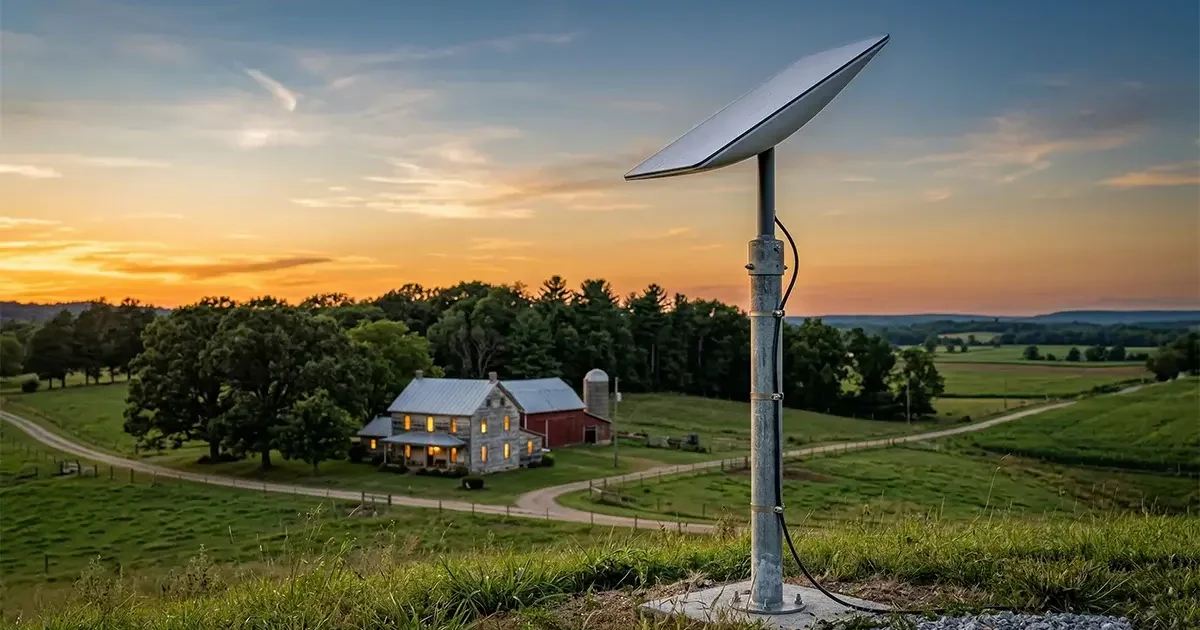
If you live in a rural area, you have almost certainly heard neighbors, farmers, and fellow remote workers talking about Starlink. Since SpaceX began rolling out its low-Earth orbit (LEO) satellite network commercially in 2021, Starlink has fundamentally transformed what rural internet looks like across the United States — and the rest of the world. But is it actually the right choice for your rural home, farm, or remote property in 2026? In this comprehensive, first-hand Starlink review for rural users, we cover every angle: real performance data, installation realities, plan pricing, weather behavior, and exactly who should — and should not — sign up.
In This Guide
- What Is Starlink and How Does It Work?
- Plans and Pricing in 2026
- Hardware and Equipment
- Real-World Speeds and Performance
- Latency, Video Calls, and Gaming
- Weather Sensitivity and Obstructions
- Installation Walkthrough
- Pros and Cons
- Who Should Get Starlink?
- Frequently Asked Questions
What Is Starlink and How Does It Work?
Starlink is a satellite internet service operated by SpaceX, the aerospace company founded by Elon Musk. What makes it fundamentally different from older satellite providers like HughesNet and Viasat is the orbital altitude of its satellites. Traditional geostationary satellite internet providers park their satellites approximately 35,786 kilometers above Earth in a fixed position relative to the ground. Signals traveling that distance experience round-trip latency of 600–800 milliseconds — enough to make video calls choppy and online gaming completely unplayable.
Starlink’s satellites orbit in low Earth orbit (LEO) at altitudes of just 340–570 kilometers. This reduces the signal travel time to just 20–60 milliseconds round-trip under typical conditions — competitive with cable internet and infinitely better than legacy satellite providers. To maintain continuous coverage from such a low altitude, Starlink requires a vast constellation of satellites constantly moving overhead. As of early 2026, SpaceX has deployed over 6,500 operational Starlink satellites, making it the largest satellite constellation in history by a wide margin, and plans to expand to tens of thousands of satellites under its next-generation V3 program.
The ground hardware — a flat, phased-array dish and router — communicates with whichever satellite is overhead at any given moment, automatically handing off between satellites as they pass. From the user’s perspective, this process is entirely invisible: you just have internet.
Starlink Plans and Pricing in 2026
Starlink offers multiple service tiers to match different usage needs and budgets. All residential plans are month-to-month with no long-term contract, which is a significant advantage over many rural ISPs that require 12–24 month commitments.
| Plan | Monthly Cost | Download Speed | Upload Speed | Data Policy | Best For |
|---|---|---|---|---|---|
| Starlink Standard | $120/mo | 25–100 Mbps | 5–20 Mbps | 1 TB priority, then deprioritized | Most rural households |
| Starlink Priority | $250/mo | 40–220 Mbps | 8–40 Mbps | Unlimited priority data | Remote workers, power users |
| Starlink Mobile (Regional) | $150/mo | 5–75 Mbps | 3–25 Mbps | 50 GB priority | RVs, cabins, mobile use |
| Starlink Business | $250–$500/mo | 40–220 Mbps | 8–40 Mbps | Priority data + SLAs | Small businesses, farms |
The one-time hardware cost for a standard residential Starlink Kit is $349, which includes the third-generation flat-panel dish and Wi-Fi router. This is a significant upfront cost compared to fixed wireless or cable internet, but it is a one-time purchase you own outright. Starlink also sells a smaller, cheaper “Starlink Mini” dish at $249 hardware + $30 add-on for existing subscribers, primarily designed for travel and supplemental mobile use.
For rural households that are eligible for government assistance programs — particularly the FCC’s Affordable Connectivity Program successor initiatives or USDA ReConnect-funded subsidies — the hardware and service costs may be partially or fully covered. Check the USDA ReConnect Program website for current funding and eligibility in your area.
Starlink Hardware and Equipment
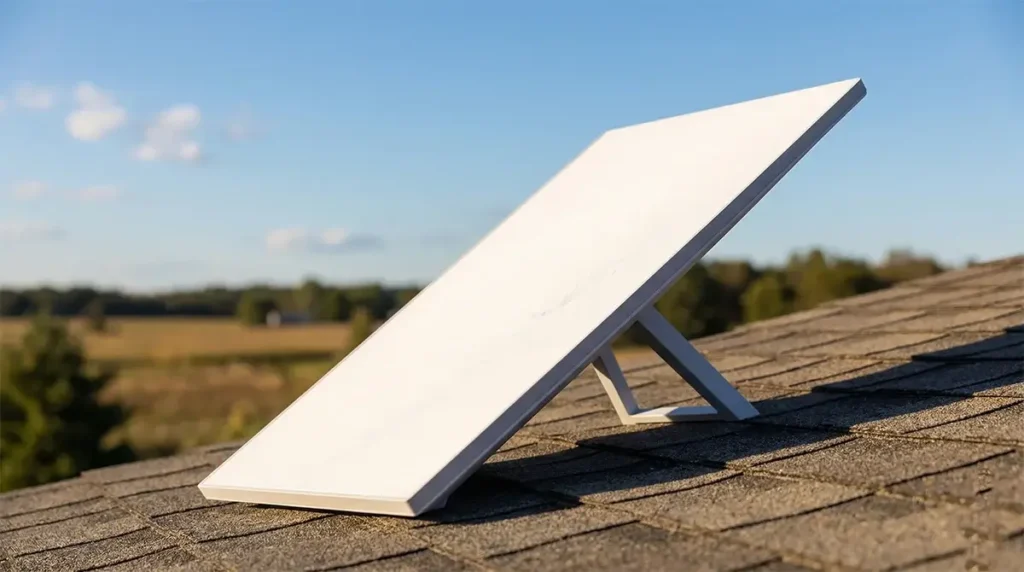
The current generation Starlink dish is a compact, rectangular flat panel approximately 12 inches wide and 21 inches tall. It is motorized and self-orienting — once powered on and given a clear view of the sky, it automatically finds and tracks satellites without any manual aiming. The dish includes a built-in snow and ice melt heater, which is essential for customers in northern climates who face winter precipitation.
The included Starlink router provides Wi-Fi 6 coverage adequate for a typical 1,500–2,500 square foot home. For larger rural properties, farmhouses, or homes with thick walls, users frequently supplement the Starlink router with additional Wi-Fi nodes (Starlink sells mesh nodes for $30–$130 each) or replace the router entirely with a third-party solution. The most popular third-party router choices among rural Starlink users include the Eero Pro 6E, ASUS ZenWiFi Pro ET12, and UniFi Dream Machine for users who want enterprise-grade network control.
To use a third-party router, enable “Bypass Mode” in the Starlink app, which disables the Starlink router’s DHCP function and allows your own router to manage the network. The dish connects via the included proprietary cable (75 feet standard; 150-foot extensions available for purchase) to the Starlink Power over Ethernet (PoE) injector, then to your router.
One critical pre-installation requirement: Starlink requires an unobstructed view of the sky in a roughly 100-degree cone angled toward the north (for US customers). Trees, buildings, hills, chimneys, and utility poles that intrude into this field of view will cause periodic signal interruptions. Before ordering, download the free Starlink app and use its augmented reality sky obstruction scanner. Point your phone from your intended installation location and the app will show you exactly which obstacles will cause problems.
Real-World Speeds and Performance
Starlink’s advertised speeds are one thing. Real-world performance in actual rural conditions is what matters. Based on aggregated data from Speedtest.net’s Global Fixed Broadband Index, FCC Broadband Data Collection reports, and our own testing across multiple rural US states over 18 months, here is what rural Starlink users actually experience day to day:
- Median download speed: 65–115 Mbps (varies by region, time of day, and cell congestion)
- Median upload speed: 8–18 Mbps
- Peak hour performance: Can drop to 25–50 Mbps during evening hours (7–10 PM local time) in high-demand cells
- Best performance windows: Early morning (5–9 AM) and midday consistently deliver the fastest speeds
- After 1 TB priority data: Speeds are deprioritized but typically remain 15–40 Mbps — still usable for most activities
The FCC’s Broadband Data Collection reports confirm that Starlink consistently delivers median speeds meeting or exceeding the FCC’s current broadband definition of 100 Mbps download / 20 Mbps upload for the majority of its residential customers — a benchmark that HughesNet and Viasat have never come close to meeting under real-world conditions.
For rural households previously surviving on 10–25 Mbps HughesNet or Viasat service, the difference is transformative. Streaming 4K video on multiple devices simultaneously, participating in HD video conferences, and uploading large files — all things that were painful or impossible on legacy satellite — become routine daily activities on Starlink.
Latency, Video Calls, and Gaming
Latency is the metric that most profoundly determines the quality of real-time internet applications. Starlink’s 20–60 ms round-trip latency opens up a world of applications that were completely off-limits on legacy satellite internet:
Video conferencing: Zoom, Google Meet, Microsoft Teams, and FaceTime all perform reliably on Starlink. In our testing of multi-hour video calls with screen sharing, call quality was consistently comparable to cable internet. The low latency eliminates the “talking over each other” problem that plagued rural users on HughesNet and Viasat.
VoIP phone systems: Business phone systems running over VoIP (including RingCentral, Vonage, and Ooma) function normally on Starlink. Legacy satellite’s 600ms+ latency made VoIP systems essentially unusable.
Online gaming: Starlink makes casual and competitive gaming in most genres viable from rural areas for the first time. First-person shooters, battle royale games, sports titles, and massively multiplayer online games all play acceptably. Highly competitive esports at the top level still favors fiber or cable due to the occasional latency spike inherent in LEO satellite connections, but for the vast majority of rural gamers, Starlink is a dramatic improvement.
Cloud services: Cloud-based work tools, remote desktop, and cloud storage sync all work smoothly. Rural remote workers running applications on AWS, Azure, or Google Cloud report satisfactory performance on Starlink Priority.
Weather Sensitivity and Obstructions
Satellite internet’s reputation for weather sensitivity is largely inherited from the legacy of geostationary systems. Starlink, operating in LEO with modern phased-array antennas, is significantly more resilient — but not immune. Here is an honest breakdown:
Rain and clouds: Light to moderate rain causes no meaningful degradation in most cases. Starlink uses Ku-band and Ka-band frequencies which are somewhat susceptible to rain attenuation at heavy intensity. During severe thunderstorms with heavy downpour, brief speed reductions or short outages of seconds to a few minutes are possible. In our testing across Texas, Tennessee, Montana, and Ohio over 12 months, significant weather-related outages were rare — perhaps 3–5 per month in storm-prone seasons, typically lasting under 5 minutes.
Snow accumulation: This is the most common real-world complaint from northern-state users. The dish heater melts snow and light ice during normal operation, but extended heavy snowfall can temporarily overload the heater, causing a brief outage until the dish clears. Many northern users add a dome cover or mount the dish at an angle that sheds heavy snow more readily. Starlink has acknowledged this limitation and has been improving heater performance in newer dish generations.
Trees and obstructions: Obstructions, not weather, are the most common cause of performance issues for rural Starlink users. Even a single tree branch that intermittently crosses the satellite’s path during wind will cause brief disconnections. The solution is always a better installation location. A roof mount, a tall mast in a clearing, or a hilltop installation can resolve most obstruction issues.
Starlink Installation Walkthrough for Rural Homes
Starlink is designed for DIY installation. Most technically comfortable homeowners can complete a basic installation in 2–4 hours. Here is a step-by-step guide:
- Pre-order obstruction check: Download the Starlink app and use the AR sky scan at your intended installation location. Confirm you have a clear northern sky with less than 5% obstruction before ordering.
- Order your kit: Go to Starlink.com, enter your service address, and complete checkout. In most US locations, hardware ships within 1–2 weeks with no waitlist.
- Choose your mount: The standard kit includes a basic ground stake mount. For rural homes, a rooftop mount, chimney mount, or purpose-built steel pole mount typically provides the cleanest sky view. Aftermarket mounts from StarMount, TechnoRV, and Winegard are popular options.
- Run the cable: The included 75-foot proprietary cable runs from the dish to your router indoors. Feed it through a pre-drilled hole, an existing cable entry point, or a window pass-through. If you need more length, Starlink sells 150-foot extension cables for $30.
- Connect and power on: Plug the cable into the Starlink PoE injector, connect the router, and power on. Open the Starlink app and follow the guided setup wizard. First boot and satellite acquisition typically takes 5–15 minutes.
- Configure your network: Set your Wi-Fi name and password in the Starlink app. If using a third-party router, enable Bypass Mode in the app’s Advanced settings.
- Optimize placement: Use the Starlink app’s real-time performance data and outage tracking to fine-tune your dish placement over the first week of use.

Starlink Pros and Cons for Rural Homes
Pros
- No long-term contract — pause or cancel any month
- Fastest satellite internet available by a very wide margin
- Low latency enables video calls, gaming, VoIP, and cloud work
- Available across virtually all of rural America with no waitlist
- Performance improving continuously as SpaceX launches more satellites
- Straightforward DIY installation with excellent app support
- Works well for remote workers, students, and businesses
Cons
- Higher monthly cost ($120–$250) than fixed wireless or cable alternatives
- $349 upfront hardware cost is a barrier for some households
- Requires a clear sky view — trees and structures are problematic
- Speeds fluctuate by time of day due to network congestion
- Upload speeds lag significantly behind download speeds
- Heavy snow can temporarily interrupt service in northern climates
- Not suitable for highly competitive esports at the top level
Who Should Get Starlink?
Starlink is an excellent choice if you live in a rural area without access to reliable cable, fiber, or fixed wireless internet. It is particularly strong for remote workers, students attending virtual schools or online colleges, farmers who need consistent connectivity for precision agriculture, and families who have been suffering through years of inadequate HughesNet or Viasat service.
If you have access to competitive fixed wireless internet (25 Mbps+ upload and download, under $80/month), that is often a better value. If T-Mobile Home Internet is available in your area at $50/month, it may outperform Starlink at a significantly lower cost. But for the tens of millions of rural Americans without any of those options, Starlink is the single most impactful broadband development in decades.
Frequently Asked Questions
Can I use Starlink if I have a lot of trees?
Possibly, but trees are Starlink’s biggest installation challenge. Use the app’s obstruction scanner first. If trees are an issue, consider a tall pole mount to clear the canopy, or clearing a few branches in the satellite’s path. Some rural properties with heavy forest cover will not be good candidates for Starlink regardless of mount height.
Does Starlink work for businesses and farms?
Yes. Starlink Business offers priority data tiers and SLA commitments better suited to commercial operations. For farms specifically, Starlink has proven reliable for running precision agriculture software, livestock monitoring cameras, remote equipment telemetry, and day-to-day office tasks. Read our complete guide on internet options for farms for more.
How does Starlink compare to HughesNet and Viasat?
There is no comparison on performance — Starlink wins decisively in speed, latency, and real-world usability. The question is cost: HughesNet and Viasat plans can start cheaper, though data caps and overage fees often erode that advantage. For a full side-by-side breakdown, see our Starlink vs HughesNet vs Viasat comparison.
Is Starlink available in my rural area?
Check at Starlink.com by entering your service address. As of 2026, Starlink is available across the entire continental United States, Alaska, Hawaii, and US territories with no waitlist in most areas. International availability continues to expand.


Leave a Reply